Suunto Nautic User Guide
Dive settings
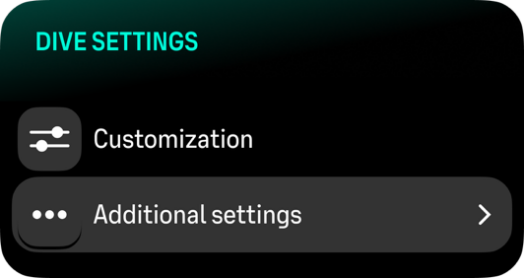
For Additional settings, scroll down from the surface screen.
GPS
To track the start and end point of your dive and to get a more accurate dive route, you need to enable GPS in the Dive settings. Make sure the GPS arrow icon turns green in the pre-dive screen before starting your dive to get an accurate location.
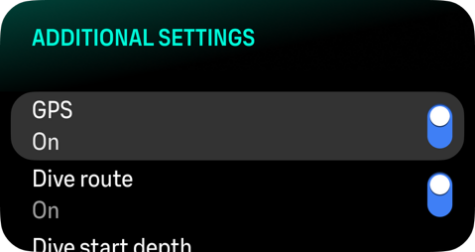
You can track your dive route with Suunto Nautic. The underwater route tracking is based on GPS, accelerometer, gyroscope, magnetometer and pressure sensor. The algorithm has been developed by using large amount of data from real dives, data analytics and machine learning.
To track your underwater route while diving, you need to enable both the GPS and the Dive route settings. The dive route is not visible in your dive computer. It will be synced to your dive log in Suunto app when connected to your mobile phone.
Note that the dive route signal can be compromised in the following situations: overhead environments like caves or wrecks, indoor pools or with poor on nonexistent GPS signal.
Syncing your dive route to Suunto app might take some time due to the large amount of data.
Dive start depth
Sets the depth threshold for starting and ending a dive. The default depth is 1.2 m (4 ft) and the maximum is 3.0 m (9.8 ft).
Dive end time
Once you are shallower than the set start depth for the dive, Suunto Nautic will start calculating the elapsed time at the surface. You can set your desired time under Dive end time. Once this time has elapsed, your dive ends automatically. If you continue diving before the set end time, the dive continues. You can define the time between 1 and 10 min. The default setting is 5 min.
Adjust the end time to longer if you are, for example, an instructor and need to communicate at the surface within the dive. Adjust it to shorter to see the dive summary more quickly.
If you surface and then dive again within the set end time, Suunto Nautic counts it as one dive.
Water type
Select the water type you are diving in. You can choose fresh water, salt water or default standardized depth measurement, the EN13319 option.