Suunto Nautic User Guide
Gradient Factors
Gradient Factor (GF) is a parameter to create various levels of conservatism. GFs are divided into two separate parameters, Gradient Factor Low and Gradient Factor High.
By using GF with the Bühlmann algorithm, you can set your safety margin for the dive by adding conservatism to control when different tissue compartments reach their acceptable M‑value. A Gradient Factor is defined as percentage of the M-value Gradient and defined from 0% to 100%.
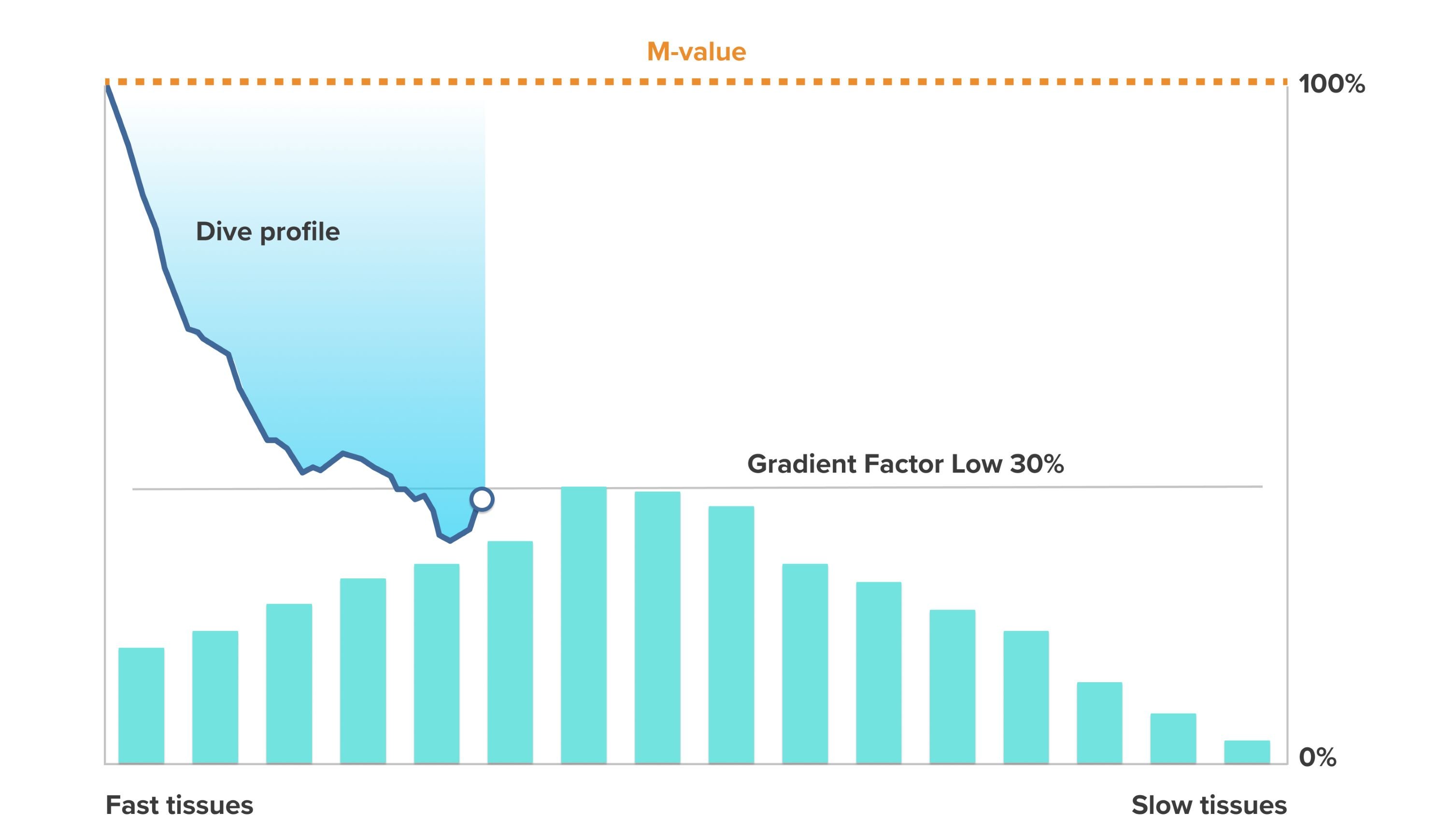
A commonly used combination is GF Low 30% and GF High 70%. (Also written as GF 30/70.) This setting means that the first stop would take place once the leading tissue reaches 30% of its M-value. The lower the first number is, the less supersaturation is allowed. As a result, the first stop is required when you are deeper. A Gradient Factor of 0% represents the ambient pressure line and a Gradient Factor of 100% represents the M-value line.
In the following illustration, GF Low is set to 30% and the leading tissue compartments react to the 30% limit of the M-value. At this depth the first decompression stop takes place.
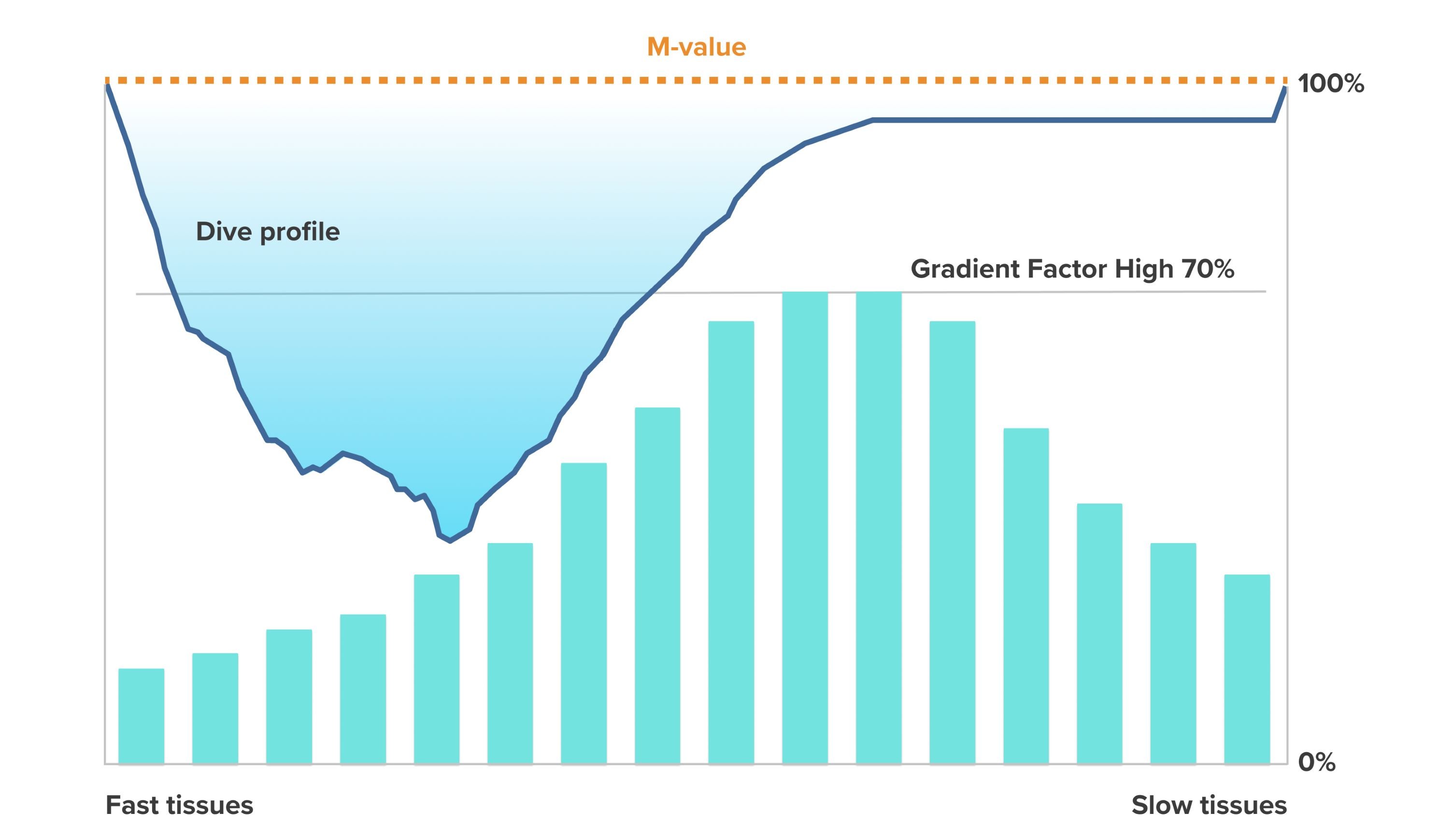
When the ascent continues, the GF moves from 30% to 70%. GF 70 indicates the amount of supersaturation allowed when you get to the surface. The lower the GF High value is, the longer shallow stop is needed to off-gas before surfacing. In the following illustration, GF High is set to 70% and the leading tissue compartments react to the 70% limit of M-value.
At this point you can come back to the surface and finish your dive.
GF Low % effect on dive profile is illustrated in the following picture. It shows how GF Low % determines the depth where the ascent starts slowing down and the depth of the first decompression stops. The illustration shows how the different GF Low % values change the depth of the first stop. The higher the GF Low % value is, the shallower the first stop occurs.
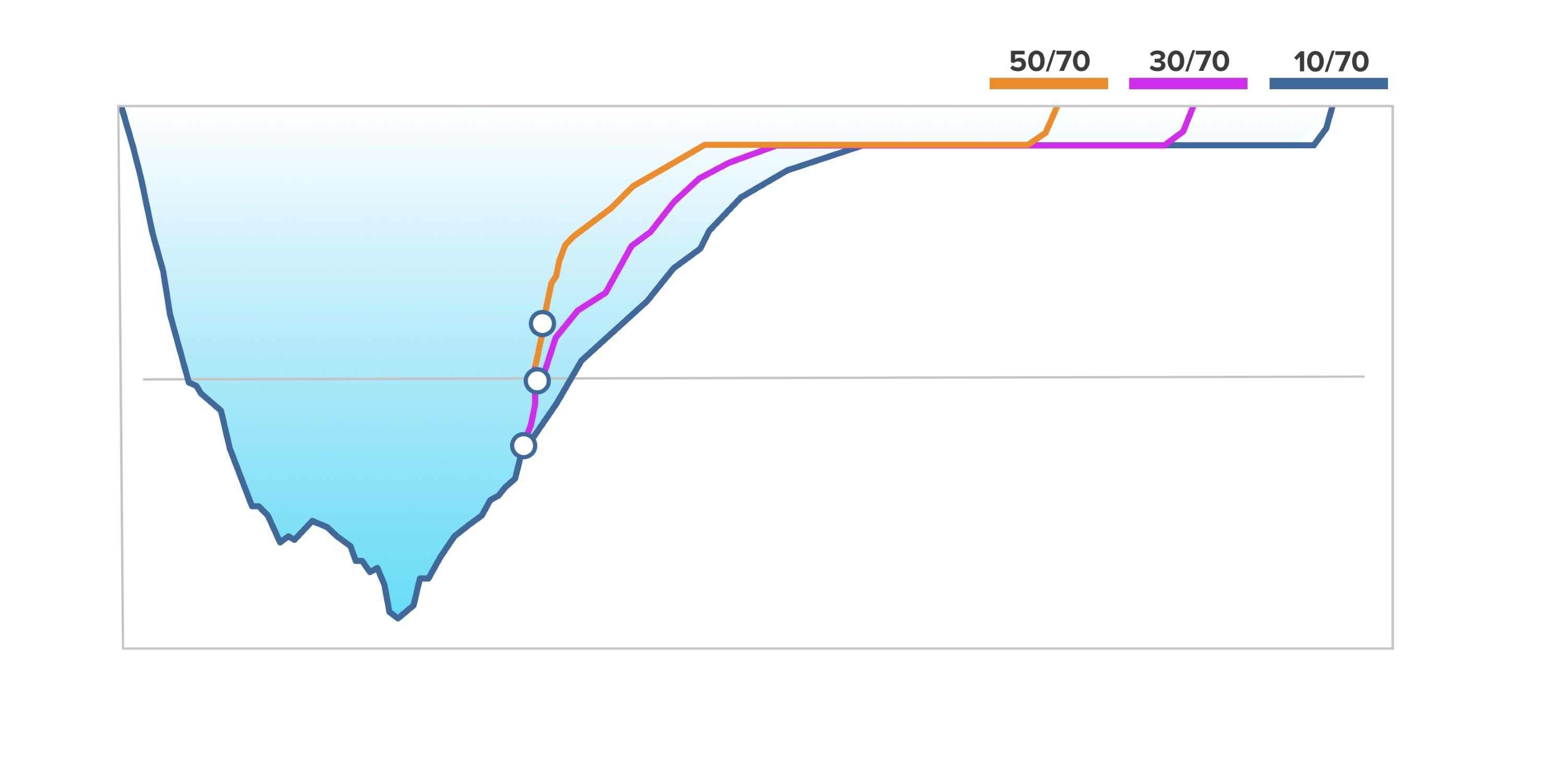
If GF Low % value is too low, some tissues may still on-gas when the first stop occurs.
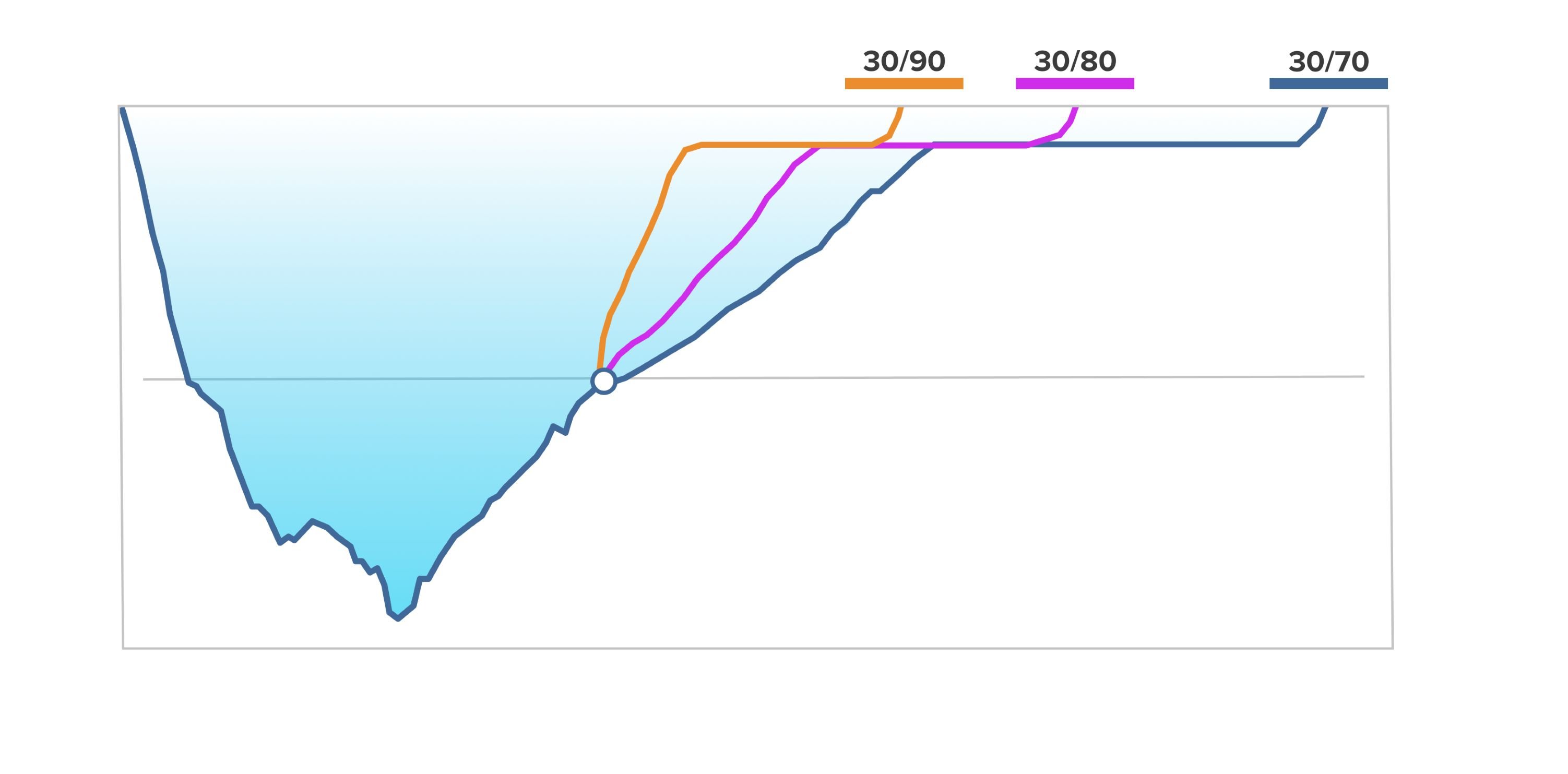
GF High % effect on the dive profile is illustrated in the following picture. It shows how GF High % determines the decompression time spent in the shallow phase of the dive. The higher the GF High % value is, the shorter the total dive time is, and the less time the diver spends in shallow water. If GF High % is set to a lower value, the diver spends more time in shallow water and the total dive time gets longer.
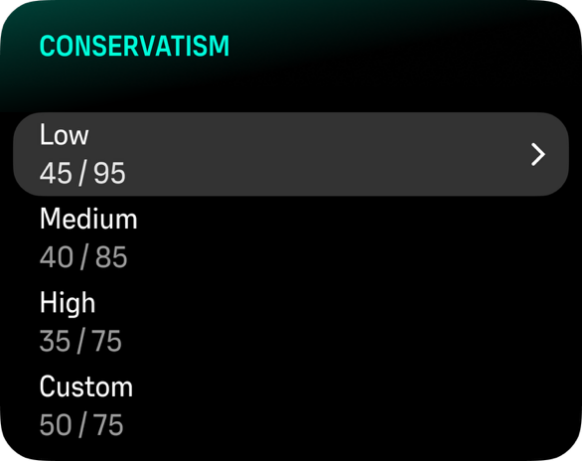
You can adjust the gradient factors. The default conservatism setting in the Suunto Nautic dive computer is set to medium (40/85). You can adjust the setting to more aggressive or more conservative than the default value. Select from the preset levels or set your own custom level.
The preset values are the following:
Low: 45/95
Medium: 40/85 (default)
High: 35/75
For recreational dives, a high conservatism setting (35/75) gives you more buffer to avoid decompression requirements. Low conservatism setting (45/95) gives you more NDL time but also a lower buffer so it is a more aggressive setting.
There are several risk factors that can affect your susceptibility to DCS, such as your personal health and behavior. Such risk factors vary between divers, as well as from one day to another.
The personal risk factors which tend to increase the possibility of DCS include the following:
- exposure to low temperature – water temperature less than 20 °C (68 °F)
- below average physical fitness level
- age, particularly over the age of 50
- fatigue (from over exercising, lack of sleep, exhausting travel)
- dehydration (affects circulation and may slows down off-gassing)
- stress
- tight fitting equipment (may slows down off-gassing)
- obesity (BMI that is considered obese)
- patent foramen ovale (PFO)
- exercise before or after dive
- strenuous activity during a dive (increases bloodflow and brings additional gas to tissues)
Do not edit Gradient Factor values until you understand the effects. Some Gradient Factor settings can cause a high risk of DCS or other personal injury.