Suunto Nautic User Guide
- Compass use during diving
Compass use during diving
The Suunto Nautic device has a gyro-assisted compass that allows you to orient yourself in relation to magnetic north. You can customize the switch window to show the compass while diving.
When the compass is visible in the switch window, you can set the bearing by short pressing the back button. Once the bearing is set, a notification is displayed and the bearing pointer appears on the compass arch to indicate the set heading. When the bearing is set, the bearing pointer is locked on the compass arch to indicate the set heading. The orange slot located on the opposite side of the pointer is to indicate the reciprocal direction (180 degrees).
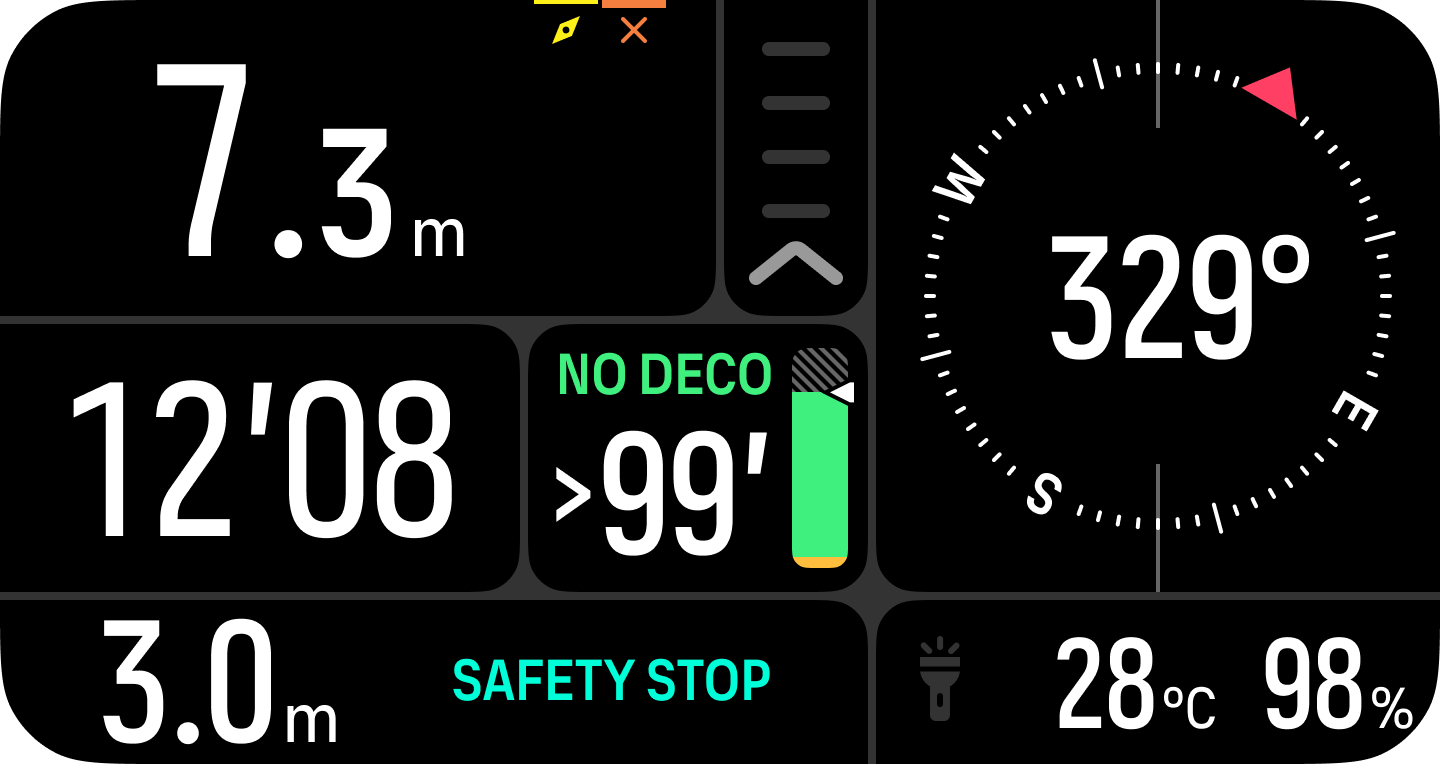
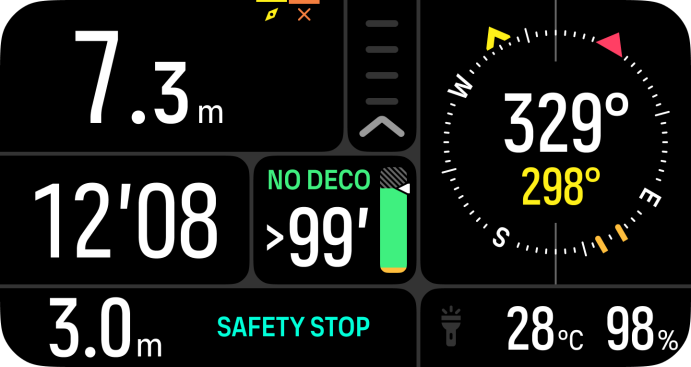
The bearing can be cleared at any time by long pressing the back button again.
The compass calibrates itself when in use, but if a recalibration is needed, a prompt pops up in the switch window. To calibrate the compass, turn and tilt the device in a figure-8.
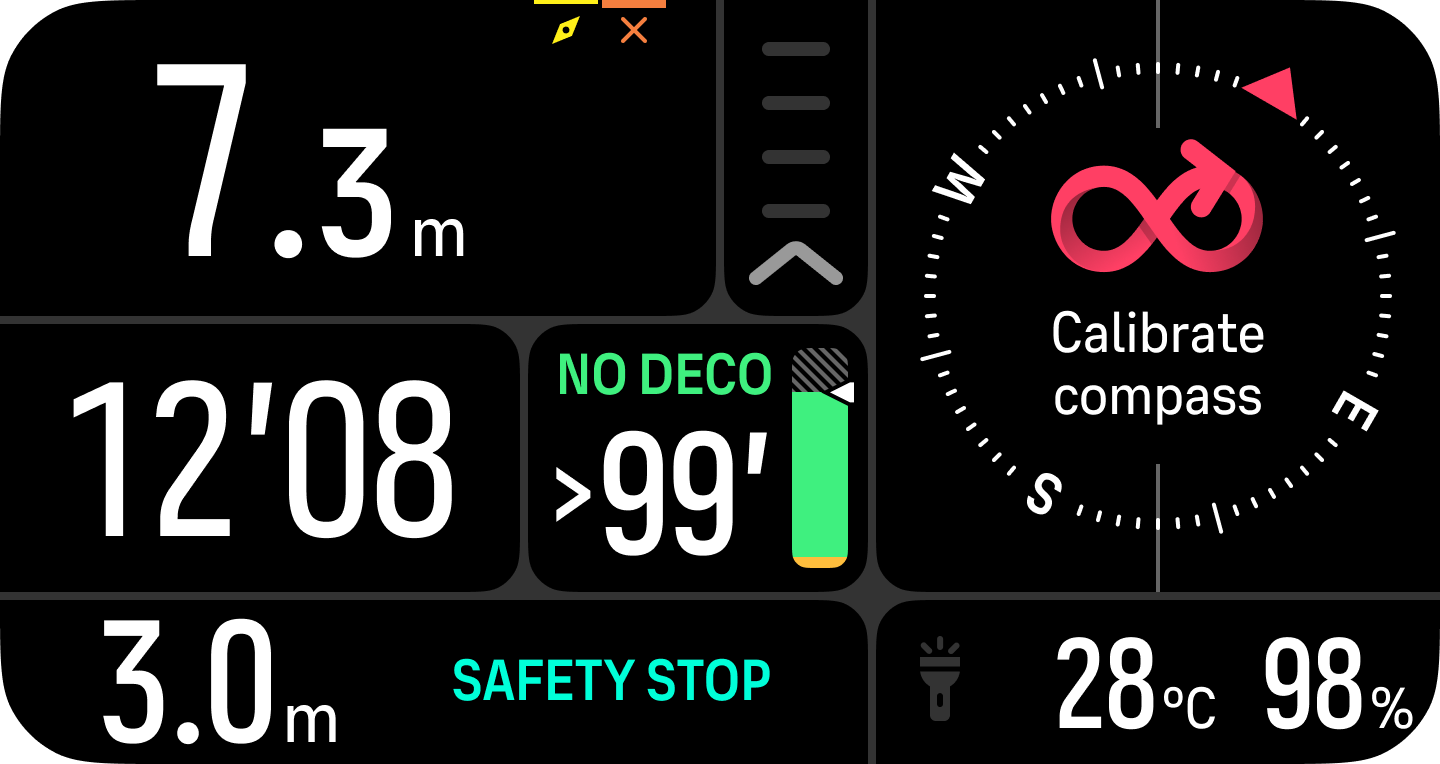
The compass calibrates itself when in use, but if the device has been affected by strong magnetic fields or a hard knock, the compass might show the wrong direction. Do a new calibration to resolve this issue.