Suunto Nautic User Guide
- Bluetooth connectivity
Bluetooth connectivity
Suunto Nautic uses Bluetooth technology to send and receive information from your mobile device when you have paired your watch with the Suunto app. Same technology is also used when pairing PODs and sensors.
However, if you do not want your watch to be visible for Bluetooth scanners, you can activate or deactivate the discovery setting from the settings under Connectivity » Discovery.
Suunto Nautic S supports the following types of dive and other sports pods and sensors:
Tank pressure (Tank POD)
Heart rate
Pairing heart rate sensor
You can pair your Suunto Nautic device with a heart rate belt to track your heart rate during diving.
To pair a heart rate belt:
- Go to Control panel > Connectivity.
- Select Pair new device.
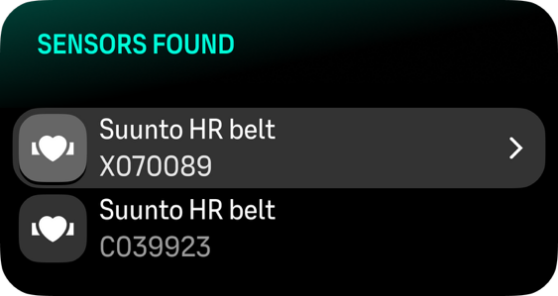
Select the sensor from list.
You cannot pair anything if airplane mode is on. Turn off airplane mode before pairing.
Once the sensor is paired, your dive computer searches for it as soon as you start your dive.
You can see the full list of paired devices in the dive computer from the settings under Connectivity > Paired devices.
From this list, you can remove (unpair) the device if needed. Select the device you want to remove, and select Forget.
For information on how to pair your Suunto Nautic with the Suunto Tank POD, see How to install and link a Suunto Tank POD.