You glance at your dive computer mid-dive and see an NDL of 30 minutes. What is that number actually telling you?
NDL, your no-decompression limit, is one of the most important readings on your dive computer. It shows how much no-decompression time you have left at your current depth. This guide explains what NDL means in diving, why the number changes, how dive computers calculate it, and how a safety stop differs from a mandatory decompression stop, so you can read your screen with confidence.
What Is a No Decompression Limit (NDL)?
NDL stands for no-decompression limit: the amount of time you can spend at a given depth, under specific dive conditions, and still be expected to ascend to the surface using established ascent procedures without mandatory decompression stops.
The limit exists because your body absorbs inert gases, mainly nitrogen, from your breathing gas during a dive. Generally, the deeper you go and the longer you stay, the more inert gas your tissues take on. Once that load passes the no-decompression limit, you need mandatory decompression stops on the way up to give your body more time to release the absorbed gas. The term “no decompression” can mislead: your body still releases gas as you ascend on every dive. It simply means mandatory decompression stops are not required.
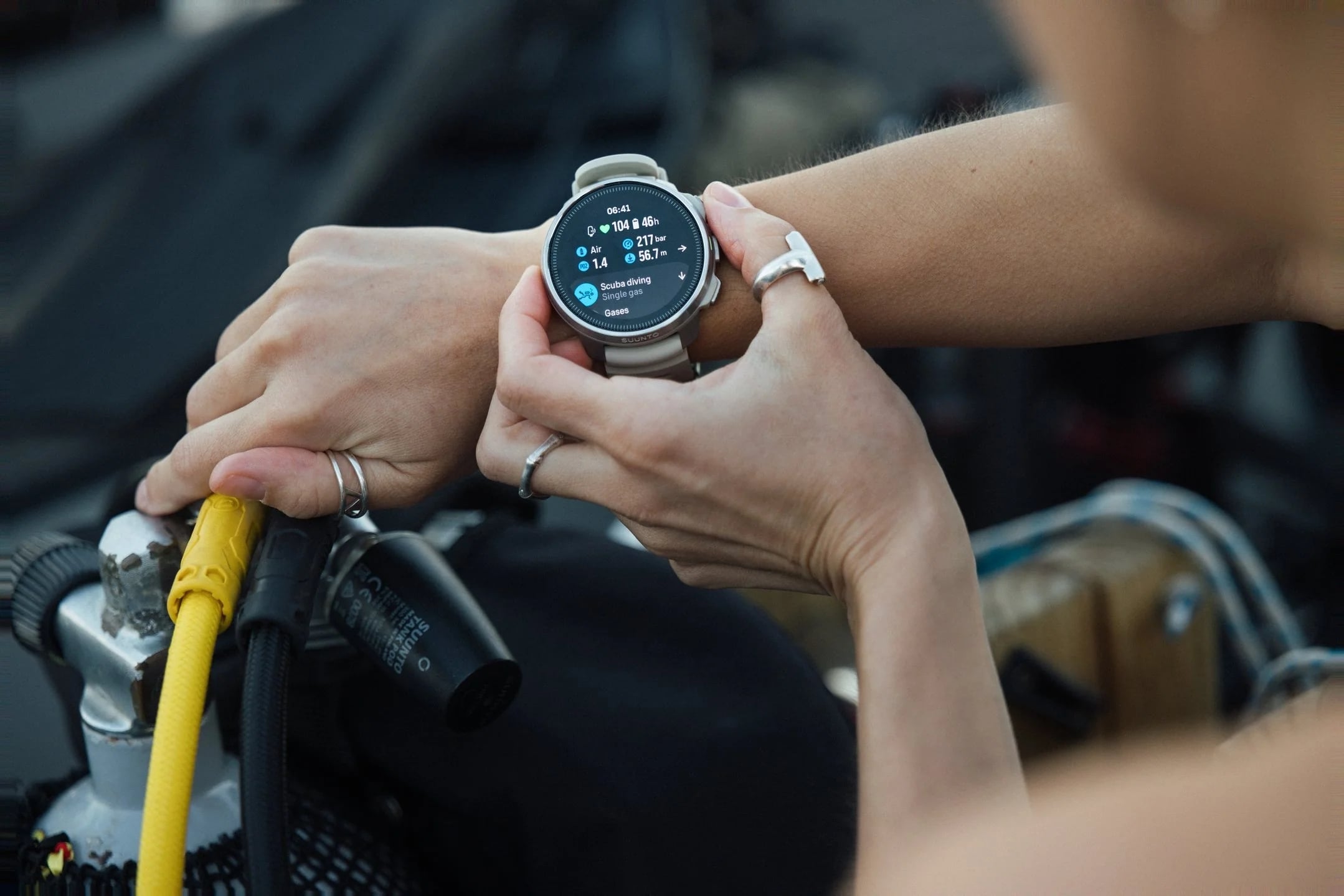
Why Does Your No Decompression Limit Change?
Your remaining NDL is a live estimate that shifts throughout your dive. Depth, time at depth, breathing gas, previous dives, and surface intervals all feed into it.
How Depth and Time Affect NDL
With other conditions similar, going deeper raises the partial pressure of inert gases in your breathing gas. Your tissues generally absorb more inert gas, and your NDL gets shorter.
Time works the same way. The longer you stay at the same depth, the more inert gas your body typically absorbs and the lower your remaining NDL drops. Ascend to a shallower depth and uptake generally slows, so your remaining NDL usually increases.

How Gas Settings, Previous Dives, and Surface Intervals Affect NDL
The proportion of inert gas in your breathing mix affects both gas uptake and your estimated no-decompression time. Your dive computer calculates NDL from the gas mix in its settings, so always make sure those settings match the gas you’re actually breathing.
Enriched air nitrox is a good example. With less nitrogen than regular air, it can usually extend your NDL at the same depth. It also brings its own limits for oxygen exposure and oxygen toxicity risk, which you need to track alongside NDL.
Residual inert gas left in your body from previous dives also affects the NDL on your next dive. At the same depth and on the same gas mix, a repetitive dive can give you less no-decompression time than your first dive of the day.
Your surface interval is when your body releases that inert gas. With other conditions similar, a longer surface interval generally means less residual gas and more no-decompression time on your next dive.
How Dive Computers Estimate Your NDL
Your dive computer combines recorded dive data, your settings, and a decompression model to calculate the NDL estimate you see on screen.
The Inputs Behind an NDL Estimate
Your dive computer estimates the nitrogen in your body’s tissues rather than measuring it directly. It tracks your depth and how long you spend at each depth, combines that with your gas settings, previous dives, and surface intervals, and runs it all through a decompression model. The result is an estimate of your body’s inert gas load and your remaining no-decompression time.
That’s why the NDL on your screen is always an estimate, built from a model and the dive data your computer has available.
Dive tables give you fixed depth-and-time combinations for set conditions. A dive computer goes further, updating its estimate continuously from your actual recorded dive profile.
Why Two Divers Can Have Different NDL Readings
Two divers at the same depth can see different no-decompression times on their dive computers.
That’s normal. Sharing a depth right now doesn’t mean they’ve followed the same dive profile, spent the same time at depth, or had the same previous dives and surface intervals. Even with similar dive histories, differences in gas settings, decompression models, or personal conservatism settings can produce different readings.
So a different NDL reading doesn’t mean either computer is malfunctioning. Each one calculates its estimate from its own recorded data and settings, which is why two divers at roughly the same depth can expect to see different numbers.

How to Read NDL on a Dive Computer
Here’s how to read NDL information on a dive computer, using Suunto Ocean as an example.
Say you check your computer during a dive and see 73 minutes in the NDL field.
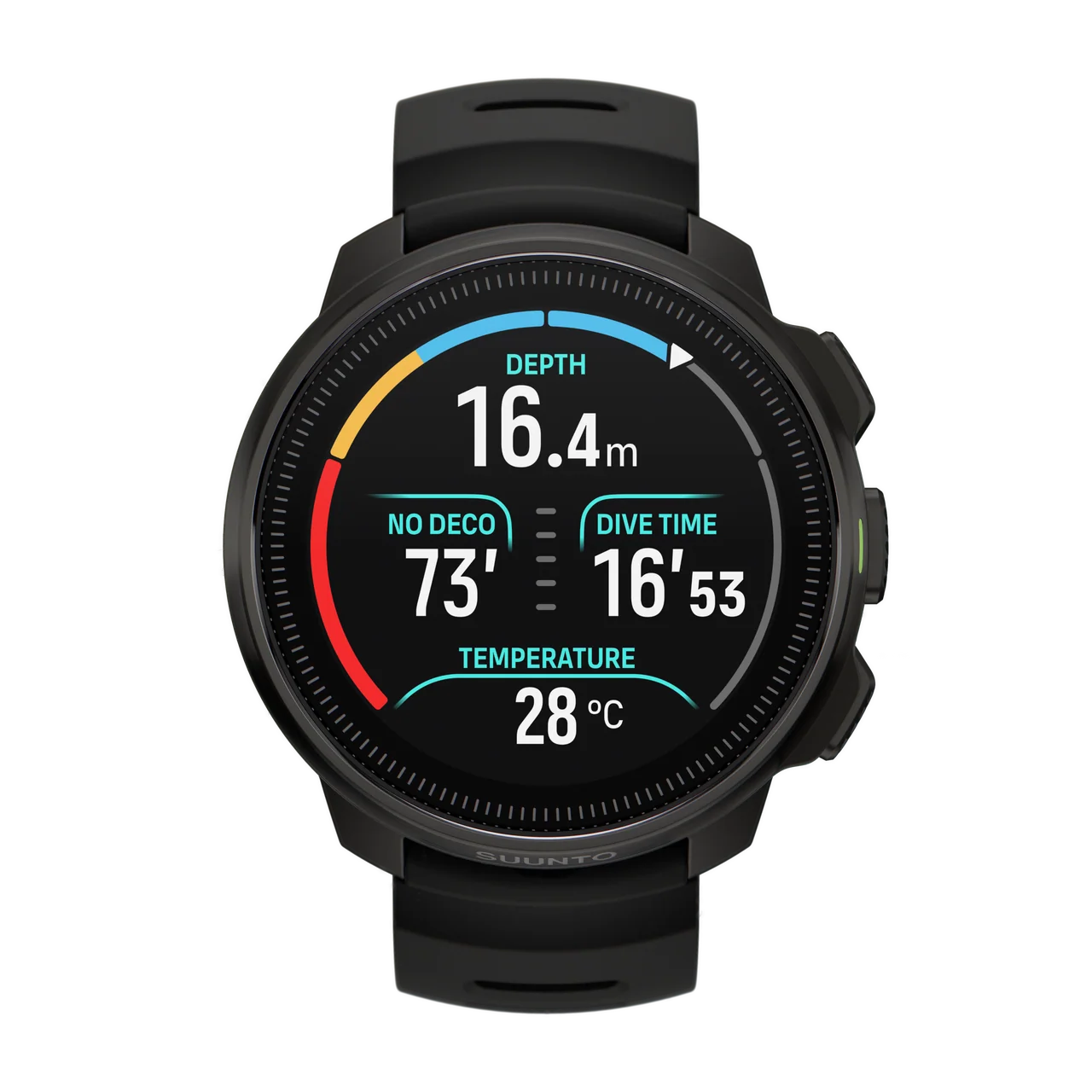
This means your computer estimates you can stay at your current depth for about another 73 minutes and still make your ascent without mandatory decompression stops.
When your remaining NDL drops to 5 minutes or less, the device triggers an alarm and highlights the relevant area of the display.
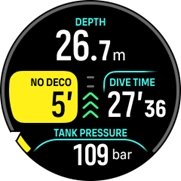
This alert tells you your remaining NDL is running low. Check your current dive status and prepare to ascend according to your dive plan.
Safety Stop vs. Mandatory Decompression Stop
Your ascent can involve two types of stops: safety stops and mandatory decompression stops. Both happen on the way back to the surface, but they serve different purposes and carry very different obligations.
A safety stop is an extra conservative measure, usually made at a shallow depth, for example 3 minutes at 5 meters (15 feet). It isn’t a required part of a no-decompression dive plan. Instead, it gives dissolved inert gas more time to leave your body before you surface, helping reduce decompression risk. For example, a diver with 12 minutes of NDL remaining may get a safety stop recommendation from their computer. Even without that stop, the dive is still classified as a no-decompression dive.
A mandatory decompression stop is a different matter. Once you exceed your NDL and incur a decompression obligation, you must complete stops at the depths specified by your dive computer or decompression plan before continuing your ascent. For example, another diver’s NDL may have reached zero, and their computer now shows a decompression requirement with an estimated ascent time of 8 minutes, including mandatory decompression stops. Those stops are required, every time.
What Happens If You Exceed Your NDL?
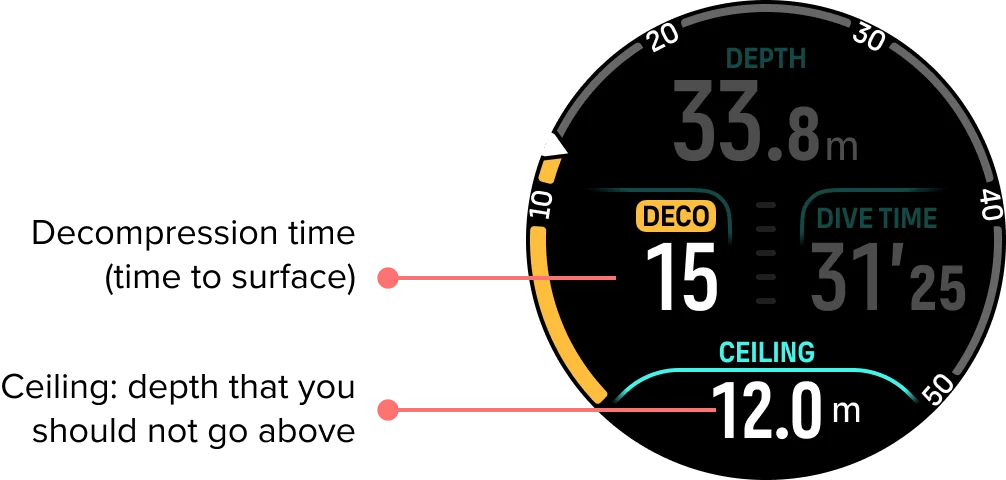
Say you check your dive computer at 18 meters (60 feet) and see that your NDL has reached zero. The display has switched to decompression information and shows, for example, an estimated time to surface of 8 minutes. You have now incurred a decompression obligation, and your ascent requires mandatory decompression stops.
Stay calm. Check your remaining gas supply and your buddy’s location, and let your buddy know your status. Keep your ascent slow and controlled, and resist the urge to rush up to “beat the clock.” Follow the decompression information on your dive computer and complete every indicated decompression stop.
On Suunto Ocean, the official user guide explains that when NDL reaches zero and decompression is required, the NDL field switches to TTS (time to surface) and the computer displays decompression-related information.
Exceeding your NDL doesn’t mean you’ll necessarily develop decompression sickness, but feeling fine is never a reason to ignore decompression requirements. After surfacing, follow your dive plan and applicable guidelines for any subsequent activities. If you notice symptoms that could indicate decompression sickness, seek prompt medical evaluation.
What NDL Cannot Tell You
Even if your dive computer shows 20 minutes of NDL remaining, that doesn’t mean you have 20 more minutes of diving. NDL can’t tell you how much usable gas is left in your cylinder, whether the current is building, or whether you’re getting dangerously cold. It can’t tell you if your buddy is low on gas, tired, or dealing with another problem that calls for ending the dive. And it doesn’t account for your experience, your physical condition, or your overall dive plan for the day.
So staying within your NDL doesn’t bring your risk of decompression sickness down to zero, and it doesn’t mean you can safely stay underwater until the time runs out. NDL is only an estimate of your remaining no-decompression time. Read it as one part of the bigger picture, alongside your remaining gas, the conditions, your buddy’s status, and how you feel, rather than as the sole basis for deciding whether to continue the dive.
Conclusion
Think of NDL as a margin to protect rather than a countdown to use up. It shows your remaining no-decompression time during a dive, and reading it well means looking past the minutes on screen to what that number represents in the context of your dive, then factoring it into your planning and decisions.
Use NDL as one part of your overall dive assessment, alongside your gas supply, the conditions, and your buddy, and you’ll get far more out of the information your dive computer provides.
FAQ
Is staying within your NDL completely safe?
No. Staying within your NDL helps reduce your risk of decompression sickness, but it doesn’t eliminate it. NDL is a model-based estimate, not a guarantee of safety.
What happens when your NDL approaches zero?
As your remaining no-decompression time runs low, your dive computer will typically alert you to review your current depth and ascent plan. When NDL reaches zero, the display switches to decompression information, showing that you’ve incurred a decompression obligation. From there, follow your computer’s decompression guidance throughout your ascent.
Do you still need a safety stop on a no-decompression dive?
It isn’t mandatory, but it is recommended. Staying within your NDL only means mandatory decompression stops aren’t required. A safety stop gives your body more time to release nitrogen and adds an extra margin of safety.
Does Nitrox increase your NDL?
Usually, yes. Enriched air nitrox contains less nitrogen than regular air, so your body absorbs less nitrogen at the same depth. That generally allows longer no-decompression times, but nitrox also adds limits related to oxygen exposure and oxygen toxicity risk.