Suunto Nautic S User Guide
Touch screen and buttons
Suunto Nautic S has a touch screen and three buttons you can use to navigate through displays and features.
Swipe and tap
- swipe up or down to move in displays and menus
- swipe right and left to move backwards and forwards in displays
- tap to select an item
Upper button
- from watch face, press to open the list of diving modes
- from watch face, long press to define and open shortcuts
Middle button
- press to select an item
- from watch face, press to open the pinned widget
- from watch face, long press to open settings menu
- keep pressed to go back in settings menu
Lower button
- press to move down in views and menus
- from watch face, press to open the list of the widgets
- from watch face, long press to define and open shortcuts
The touch screen is inactive when it is in contact with water. This means that underwater you have to use the buttons to navigate through displays.
Button functions during scuba diving
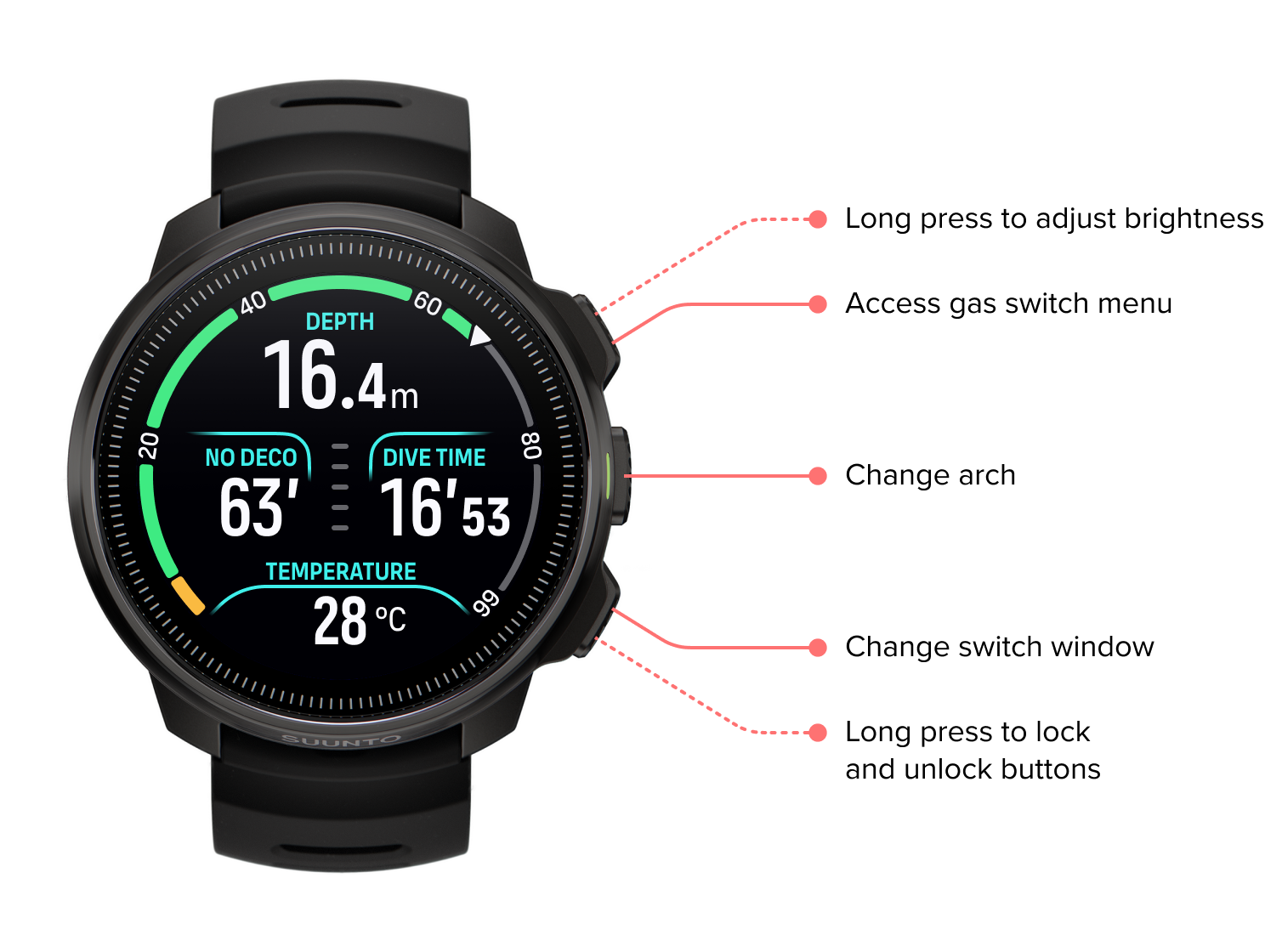
Your Suunto Nautic S has three buttons that have different functionalities when short pressing or long pressing them during the dive.
Upper button short press: Access gas switch menu (only in Multigas mode)
Upper button long press: Adjust brightness level (Low/Medium/High)
Middle button short press: Change arch
Middle button long press: Set bearing (only when in compass view)
Middle button long press: Start and reset stopwatch (only in timer view)
Lower button short press: Change switch window item
Lower button long press: Lock buttons
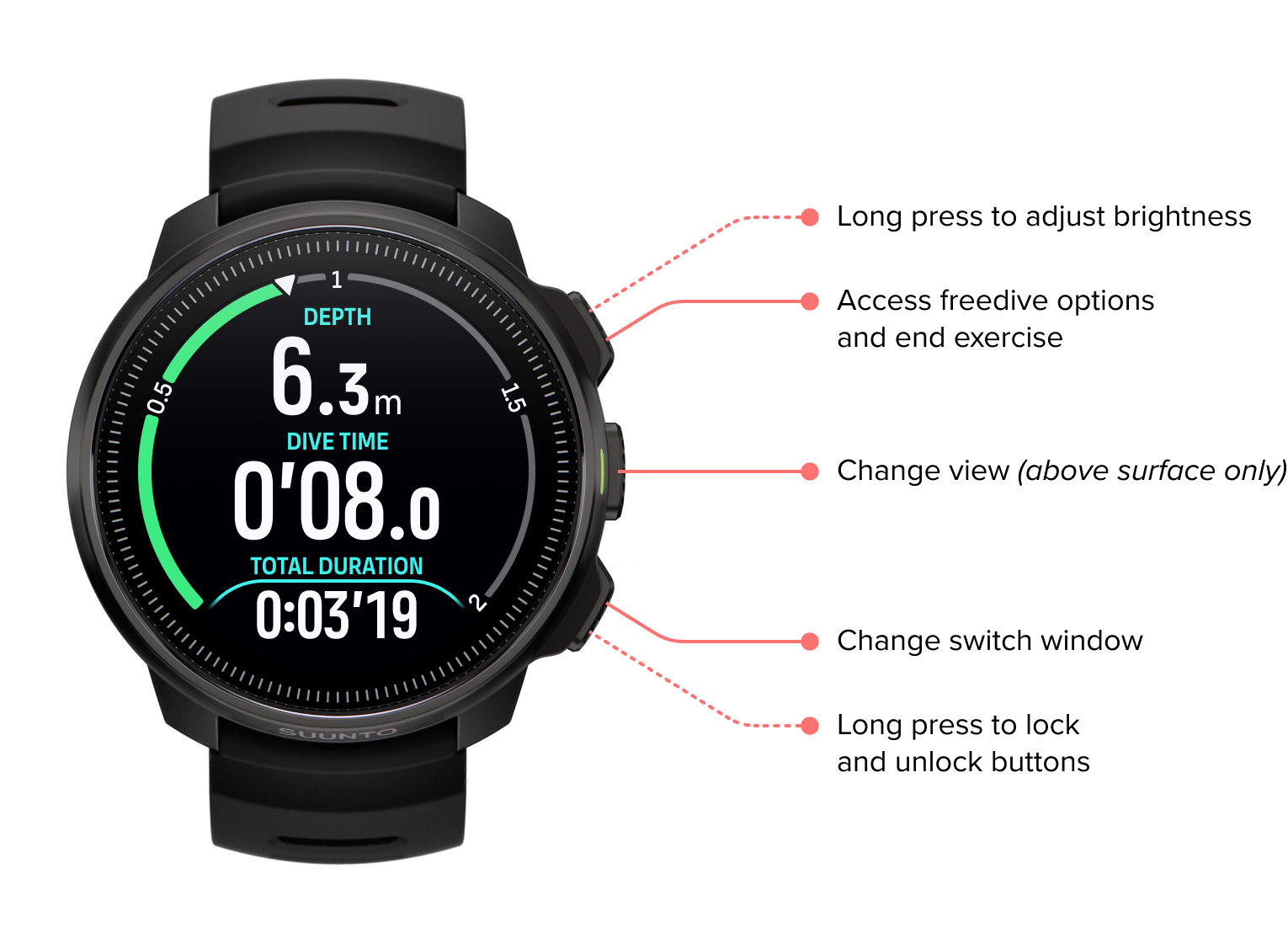
Button functions during freediving
Your Suunto Nautic S has three buttons that have different functionalities when short pressing or long pressing them during the exercise.
In Freediving mode, the buttons have the following functions:
Upper button long press: Adjust brightness level (Low/Medium/High)
Upper button short press: Access the freedive options menu to stop exercise, use flashlight or discard exercise.
NOTE:The menu is not accessible underwater.
Middle button short press: Change view (above surface only)
Lower button short press: Change switch window item
Lower button long press: Lock and unlock buttons