Suunto Nautic User Guide
How to install and link a Suunto Tank POD
To install and link a Suunto Tank POD:
Install the Tank POD as described in the Tank POD quick guide or in the Tank POD user guide.
NOTE:To ensure the most accurate tank pressure readings, Suunto recommends that you install Suunto Tank POD so it is on the same side as you wear your Suunto Nautic.
- In the Gases menu, select the gas you want your Tank POD to link with.
Go to the Edit gas view and scroll to the Tank POD setting.
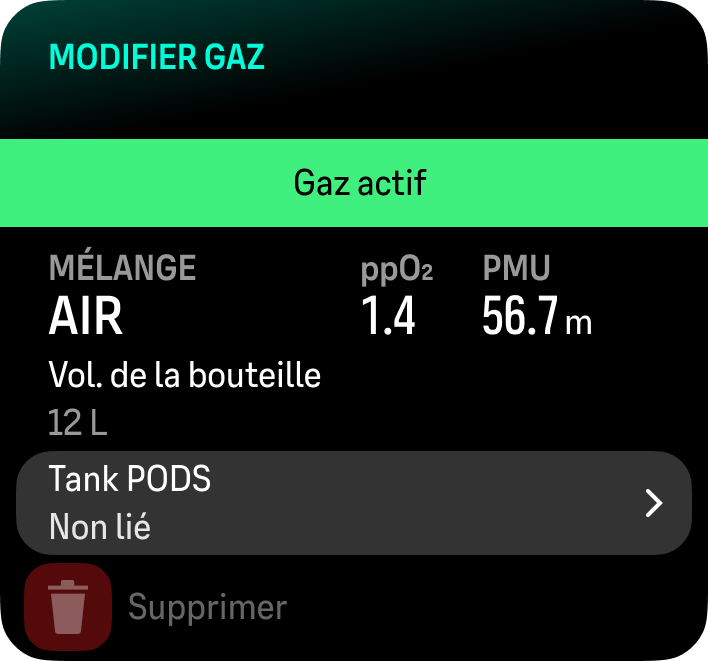
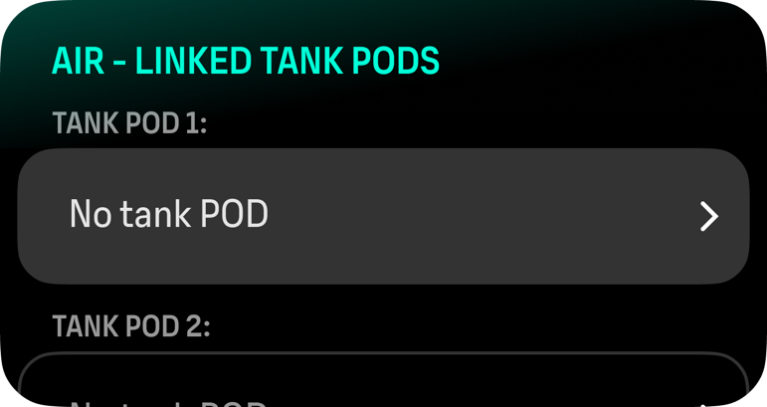
If you are diving with one tank, add your Tank POD to the 'Tank POD 1' slot and continue with step 5. If you are diving sidemount and you need to link a second Tank POD to the same gas, follow the same procedure for the 'Tank POD 2' slot.
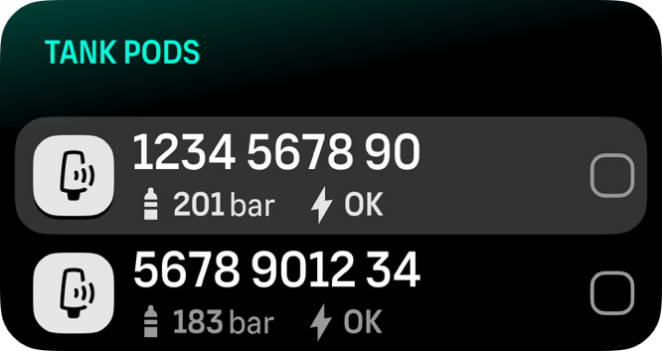
Make sure the Tank POD has been activated and that it is within range. Select your Tank POD serial number from the list.
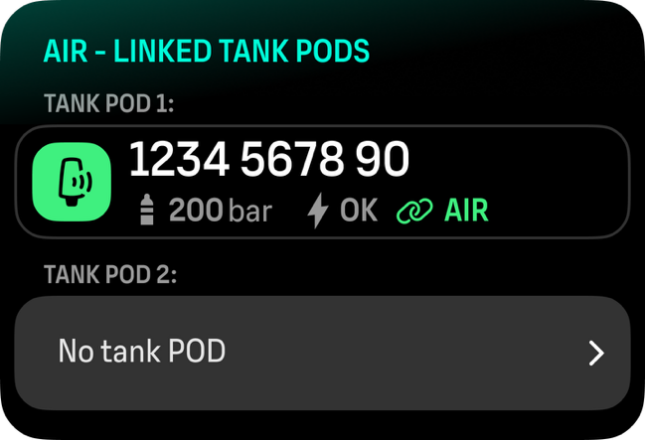
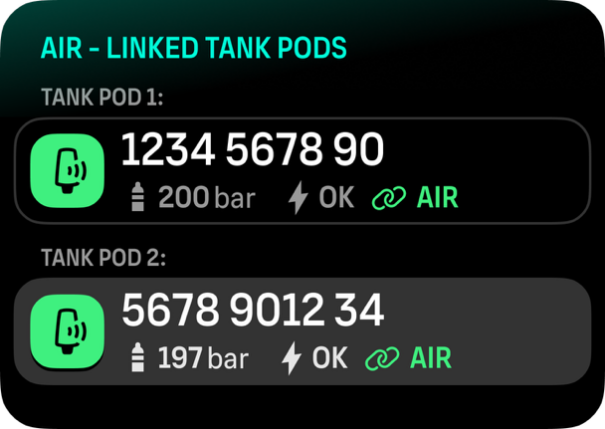
If you have linked the same Tank POD to several gases, remember to check before your dive that you have the right active gas and that you have your Tank POD linked. In the dive main views, only one tank pressure is shown and corresponds to the active gas.
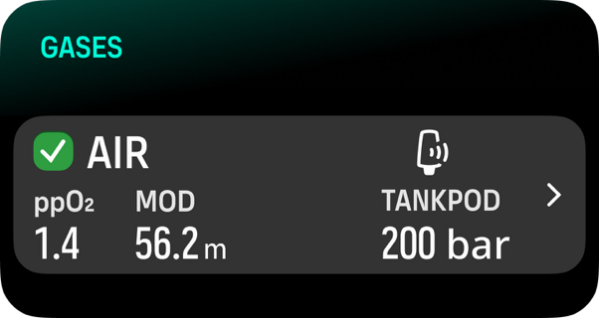
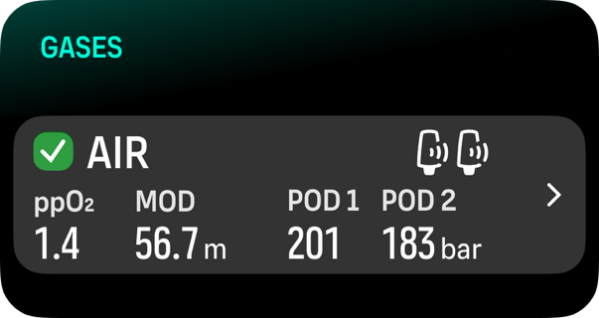
If there are several divers using Tank PODs, always check before you dive that the POD number of your selected gas corresponds to the serial number on your POD.
You can find the serial number on the metal base and also on the cover of the Tank POD.
Repeat the procedure above for additional Tank PODs and select different gases for each POD.
To unlink and remove your Tank POD from a specific gas:
Select the gas you want to remove the Tank POD from in the Gases menu.
De-select the Tank POD you want to remove (check the serial number).
Your Tank POD is removed from the selected gas list.
You can also unlink the Tank POD from the Tank POD menu.
You can only unlink your Tank POD once it is active and transmitting.
Always use a backup analog submersible pressure gauge as a redundant source of gas pressure information.
For Suunto Tank POD related information, please see the instructions provided with the product.