Suunto Nautic User Guide
Key information during diving
During diving, your device displays the following information:
Decompression information:
The decompression area on the screen is fixed and shows the following data in the following situations:
No Decompression Limit (NDL): It shows the time remaining in minutes at the current depth until mandatory decompression stops are required. If NDL time is above 99 minutes, it is displayed as >99. When the NDL time is 5 minutes or less, a mandatory alarm is triggered and the display area is highlighted until resolved or replaced with decompression information.
Read more about the mandatory alarms in Mandatory dive alarms.

You can customize this field to show both NDL and TTS value at the same time. See 4.8. Switch window customization.

Deco time: If exceeding the NDL time, an alarm is triggered and the NDL time is replaced with the optimum ascent time in minutes (TTS). A Deco badge appears, and the stop field shows either your next decompression stop or the ceiling value, depending on the decompression profile. An alarm is also triggered that can be confirmed by pressing any button. Read more about decompression diving in Decompression dives.
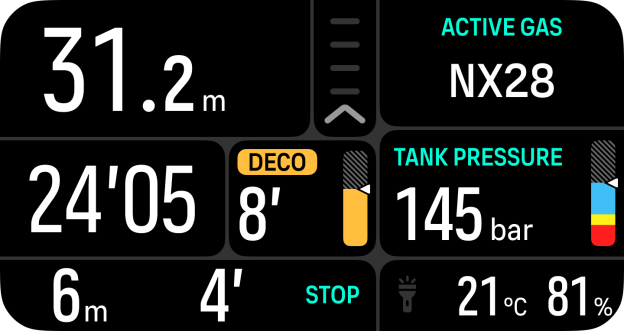
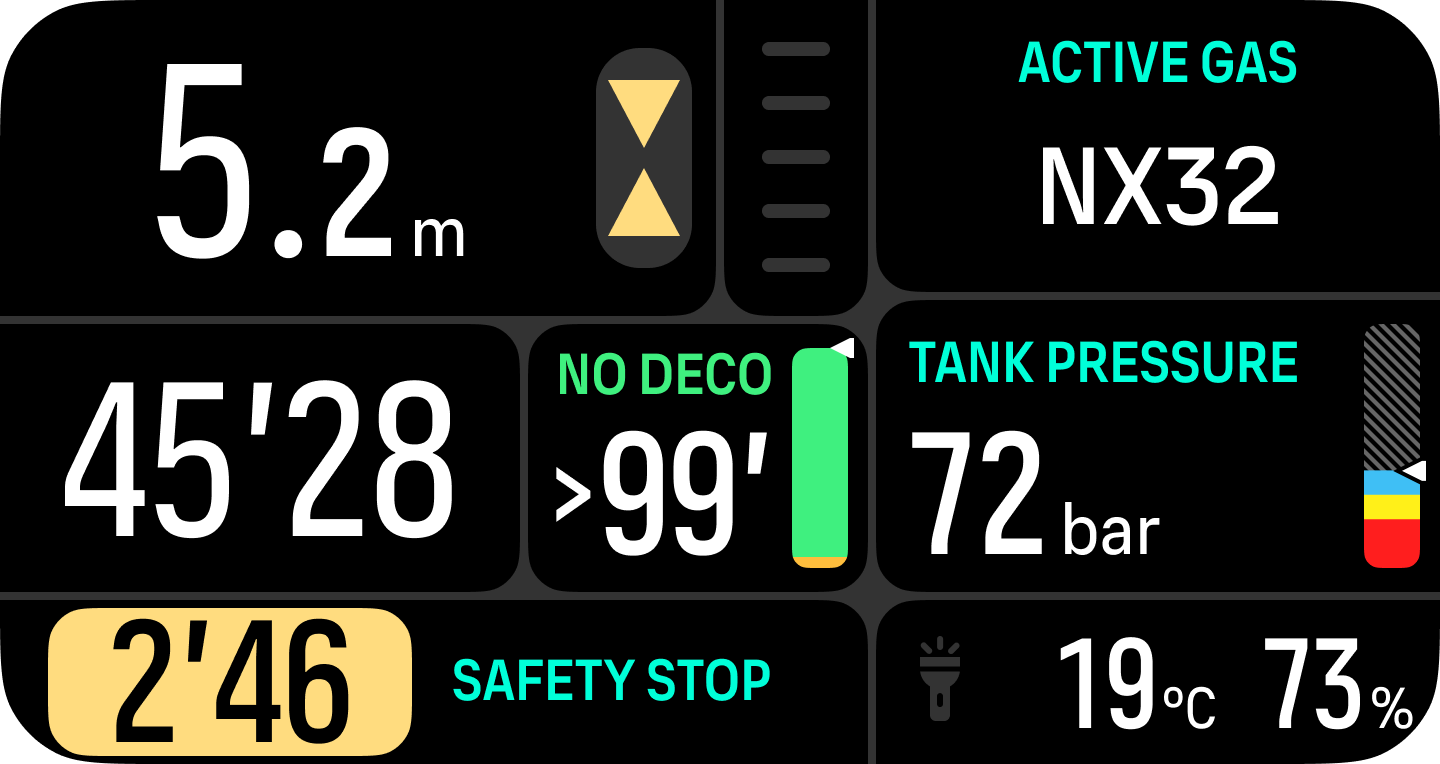
Stop area: If a safety stop or deco stop is required during the dive, a stop timer counting down the required stop time in minutes and seconds will be shown in the window. The stop depth range will be indicated in the depth area. Once the stop is completed, Stop done is displayed. You can adjust the safety stop time to be 3, 4 or 5 minutes (the default length is 3 minutes) in the Algorithm settings.
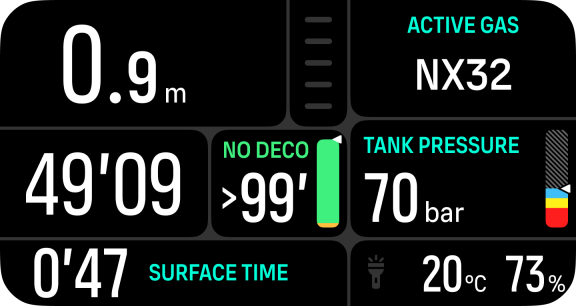
Surface time: When surfacing, the stop area is replaced with a surface timer. It shows the elapsed time between surfacing from a dive and beginning a descent for the subsequent dive. It shows the time in minutes and seconds up to one hour. Above one hour, the time is displayed in hours and minutes up to 24 hours, and after that, hours up to seven days and then only in days.
Ascent rate: During a dive, the bar in the middle of the screen indicates how fast you are ascending. One bar step corresponds to 2 m (6.6 ft) per minute.
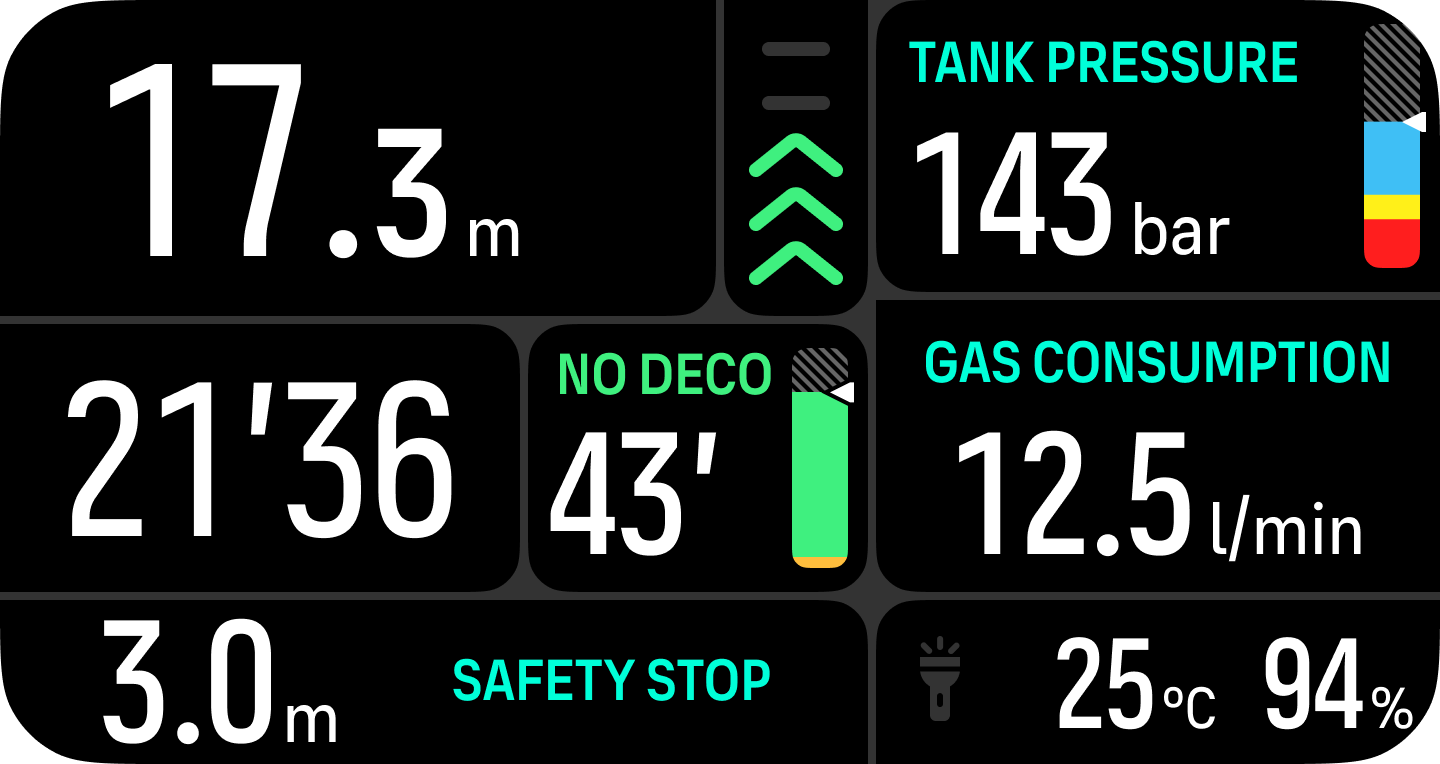
The bar is color coded to show the following:

Gray indicates ascent rate is less than 2 m (6.6 ft) per minute
Green indicates ascent rate is between 4 m (13 ft) per minute and 8 m (26 ft) per minute
Yellow indicates ascent rate is over 8 m (26 ft) per minute
Red indicates ascent rate is 10 m (33 ft) per minute
Highlighted red indicates ascent rate is over 10 m (33 ft) per minute for 5 sec or longer
DO NOT EXCEED THE MAXIMUM ASCENT RATE! Rapid ascents increase the risk of injury. You should always make the mandatory and recommended safety stops after you have exceeded the maximum recommended ascent rate.