Suunto Nautic User Guide
Diving with multiple gases
When diving with Multigas mode, Suunto Nautic allows gas changes between the enabled gases in the Gases menu. You can have maximum five gases in the gas list, enabled or disabled.
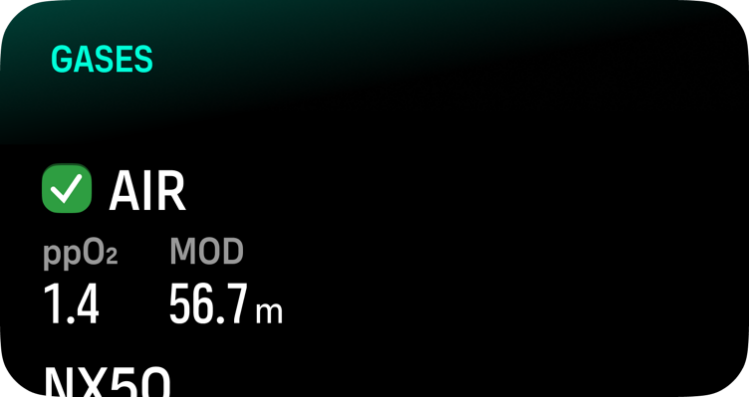
The decompression algorithm assumes all the enabled gases are planned to use for the dive and will calculate any decompression stops, decompression time and time to surface according to the available gases. Make sure to disable any gases you are not carrying with you.
When ascending, you are always notified to change gas when a better gas is available.
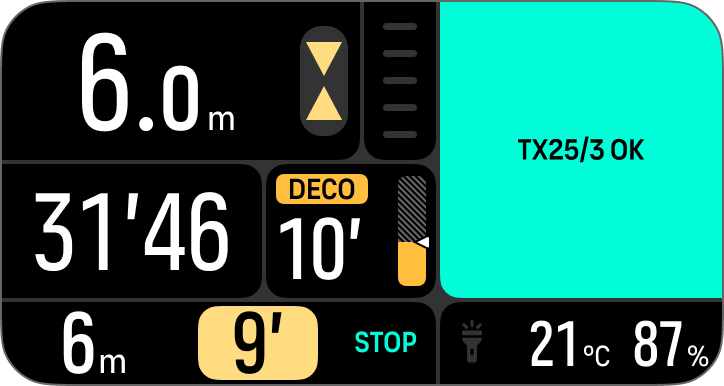
For example, you may have the following gases when diving to 40 m (131.2 ft):
- Nitrox 26% (1.4 ppO2) (for bottom)
- Nitrox 50% (1.6 ppO2) (decompression gas)
- Nitrox 99% (1.6 ppO2) (decompression gas)
While ascending, you are notified to change gas at 22 m (72 ft) and 6 m (20 ft) according to the maximum operating depth (MOD) of the gas. Gas switch notification will be in the switch window and pressing any button will open a gas list with the recommended gas first. Confirm the new gas by pressing the middle button. If you don’t want to perform the suggested gas switch, you can dismiss the gas switch recommendation. This will ignore the suggested gas until the next possible MOD of an enabled gas.
Once the dive has ended, the gas with the lowest O2 value will be your active gas for the next dive.