Ever noticed how a pace that feels easy on the flat gets hard to hold on a hill? Even as you slow down, climbing asks more of your body. That's because pace tells you how fast you're running, not how much work you're doing. On changing terrain, running power shows you that output directly, giving you a truer read on your training intensity.
So what exactly is running power? How should you read the wattage on your watch, and how can you use it in everyday training? This guide explains running power and how to put it into practice in real running conditions.
Table of Contents
What Is Running Power?
Running power describes your output while running and is usually measured in watts (W). In physics, power is the amount of work done per unit of time.
For runners, it's a measure of how much output you're producing. Under the same conditions, higher power means greater output. On the same hill, for example, completing the same elevation gain in less time usually takes higher average power.
Pace, power and heart rate work best together: pace shows your speed, power shows your output and heart rate shows how your body is responding. Each gives a different perspective, and together they paint a fuller picture of your training.
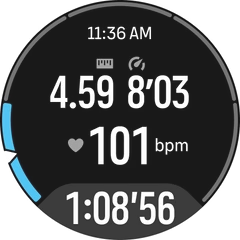
Understanding Running Power Metrics
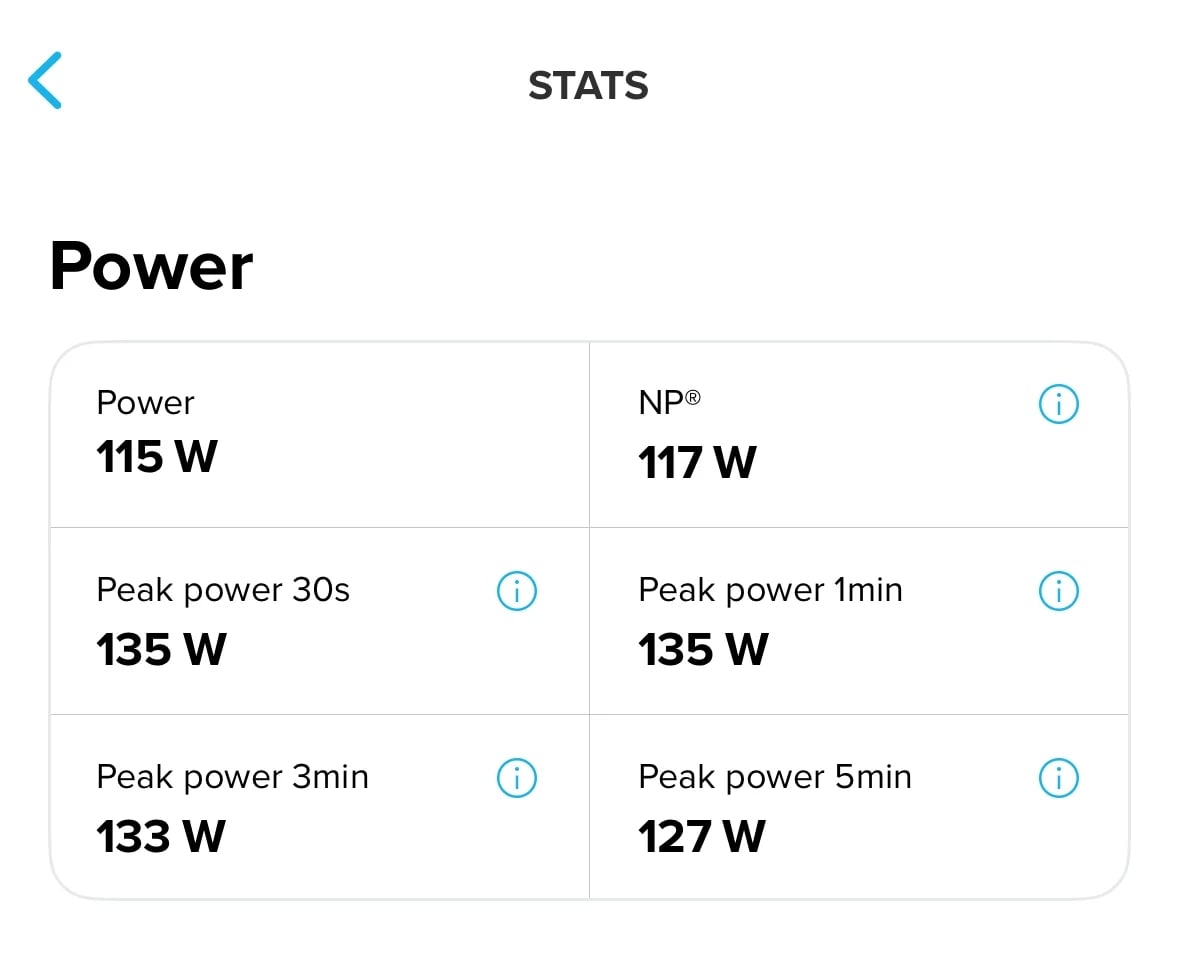
When reviewing power data, different metrics show your output over specific periods and how it varies through a workout. Here are three common ones: Average Power, Peak Power and Normalized Power.
- Average Power: Your average output over a whole run or a segment of it, showing your overall effort for the session or section. Some systems include periods of zero power in the calculation and others only count time spent producing power, so keep that in mind when comparing data.
- Peak Power: The highest average power held over a set duration. Your 1-minute peak power, for example, is your highest average output over any continuous minute of the activity. Comparing peak power across durations shows how well you produce high output in short bursts and sustain it over longer efforts.
- Normalized Power (NP): Accounts for fluctuations in power by giving more weight to periods of higher output, so it better reflects the training load of variable efforts. Two runs with similar Average Power can have different Normalized Power, with the more variable run scoring higher and carrying a heavier training load.
Beyond workout metrics, Critical Power (CP) gives you a reference point for your individual capability. It's estimated from the relationship between power and how long you can sustain it, and it helps you set power zones and understand what a given wattage means for your relative intensity.
How to Get Running Power Data
In the lab, researchers calculate running power with specialized equipment such as a force-measuring treadmill combined with a runner's exercise data. For everyday training, sports watches with running power or footpods estimate it using algorithms.
Suunto sports watches with wrist-based running power, for example, measure movement data such as speed and gradient, then use an algorithm to estimate power from those measurements and your weight setting.
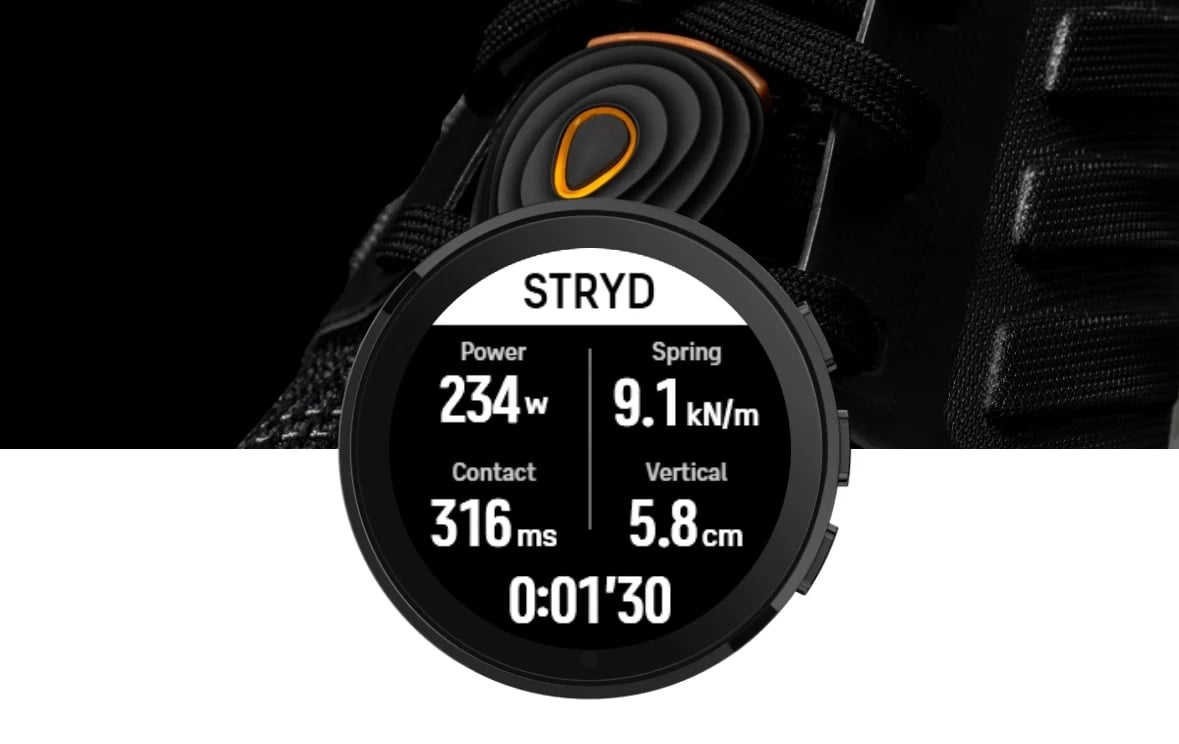
Another option is a footpod such as a Stryd. Clip it to your shoelaces and pair it with a compatible watch, and it estimates running power from your foot movement, with real-time readings on your wrist.
What Is a Good Running Power?
There's no universal standard for good running power, but research offers some numerical reference points. One study of 20 regularly trained runners used Stryd to record peak power at different durations during outdoor runs, with these ranges among participants:
| Peak Power Duration | Power Range |
|---|---|
| 3 minutes | 243–512 W |
| 5 minutes | 235–487 W |
| 10 minutes | 228–422 W |
| 20 minutes | 191–406 W |
These figures give a sense of power levels across durations, but they're a reference rather than ideal values or personal training targets. Body weight, running ability, training level, terrain and duration all affect power readings, so the same wattage can mean very different intensities for different runners. Judge your own running power against your individual abilities and goals.
How to Use Running Power in Training
Training with power starts with setting your personal power zones, then choosing target output for each workout. During a run, real-time data shows how closely you're following the plan, and afterward your training records show how the session went, along with its training load and your recovery.
Set and Adjust Your Running Power Zones
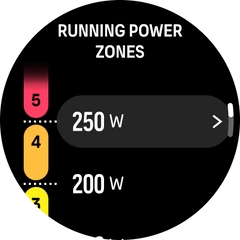
Personal power zones tell you what intensity your current output represents, help you choose the right range for each workout and show you during a run when you're going harder than planned. Set them up in three steps:
- Establish a personal power baseline: The same wattage means different things for different runners, so start with your own power levels. A lab test, field test or a training platform that supports running power assessments will give you a reference value. Without test results, use power, duration, heart rate and perceived effort from recent workouts to set initial ranges for your usual sessions.
- Set the upper and lower limits for each zone: Turn your baseline into specific power ranges, using the zone recommendations from your test or training platform, then enter them in your watch settings. If you only have training records for now, start with provisional ranges and build out the full set of zones over time.
- Reassess as your fitness changes: As you improve, your original zones will stop reflecting your fitness. New test results, or a lower heart rate and easier effort at the same power across several comparable workouts, are signs it's time to reassess. Update your zones once a change is confirmed, rather than after a single good or bad session.
Apply Running Power to Different Training Sessions
With your zones in place, the next step is applying them. Each type of workout has its own goal, and power helps you manage intensity to match. Here's how to use it in easy runs, tempo runs and interval training.
Easy Run and Steady Run
Easy and steady runs both depend on holding the right intensity, but terrain pulls pace and output apart. Uphill, your pace may drop even as you work harder; downhill, your pace can rise with little extra output. Running power tracks these changes, so you can judge intensity by output rather than pace alone.
On an easy run, use the upper limit of your power zone as a ceiling so you don't push too hard on climbs. On a steady run, set a target power range and let your pace vary across flat and rolling terrain to keep your output consistent.
Tempo and Threshold Training
Tempo runs and threshold sessions ask you to hold a fairly high but controlled intensity for a sustained period. The challenge is finding the right level: too low and you miss the training stimulus, too high and you fade before the planned duration is up.
Running power gives you a direct read on output during sustained efforts, helping you pace the first half and save energy for the second. On a 20-minute tempo run, for example, set a target power range based on your ability and stay below its upper limit early on. Throughout the workout, use real-time and segment average power to track your output, alongside your breathing and perceived effort, and adjust as needed.

Interval Training
In interval training, it's easy to run the first few reps too fast while you're fresh, then watch your output drop as fatigue sets in. Power helps you control the output of each rep and compare average power across reps to check that you're spreading your effort well.
For longer intervals, set a target power range in advance to save energy for the later reps. For shorter intervals, acceleration can skew instantaneous power, so lead with your planned time, distance or pace and use power as a supporting reference. If your output drops noticeably in later reps, adjust the rest of the session based on how you feel and how well you're recovering.
Track and Analyze Your Running Power
Recording running power continuously on a sports watch shows how your output changes through a workout. With Suunto, you can see real-time power on your watch while you run, then sync the activity to the Suunto app for a closer look at each segment.
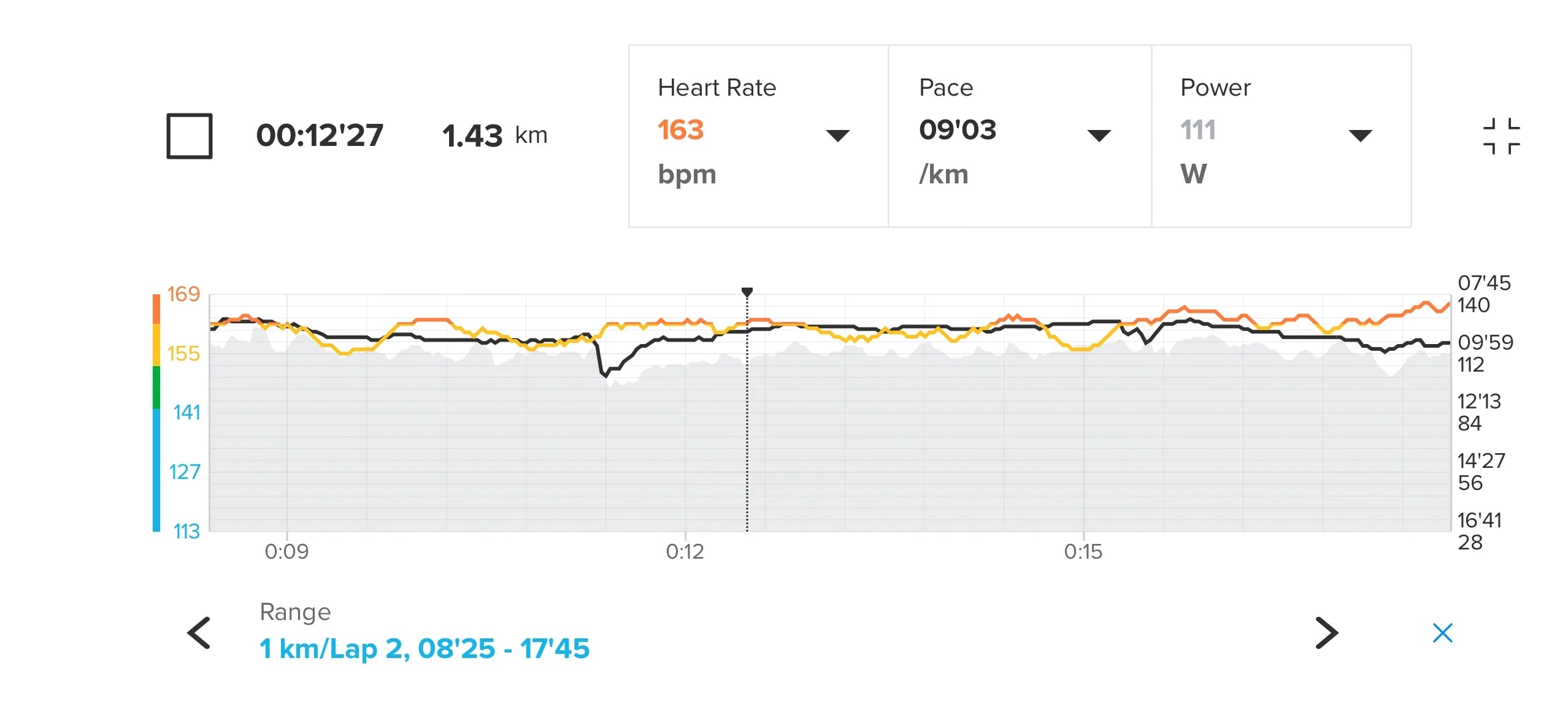
In your activity records, comparing power, heart rate and pace curves over the same period tells you more than whole-run averages. If your pace drops on a climb, check whether your power holds steady. If your power stays consistent in the second half while your heart rate creeps up, look at factors such as weather, workout duration and perceived effort to understand why. This helps you confirm your output matched the plan and see how your body responded.
With consistent tracking, your recent training load trends and recovery status in the Suunto app show whether you're adapting well to your training. Factor in your sleep, HRV trends and perceived fatigue when deciding whether to run your next workout as planned, ease the intensity or take more recovery.
Takeaways
Running power adds another lens on your output. It works alongside pace, heart rate and perceived effort, giving you a fresh perspective on training intensity and performance.
Start with familiar routes and workouts. Watch how power relates to pace, heart rate and perceived effort, then gradually build it into your everyday training. As your data grows, you'll understand your own output patterns better and have a clearer basis for adjusting intensity, easing off when you need to and setting specific output targets when it counts.