Suunto Nautic S User Guide
- Compass use during diving
Compass use during diving
The Suunto Nautic S device has a gyro-assisted compass that allows you to orient yourself in relation to magnetic north. While diving, you can access the compass by pressing the middle button (compass seen on arch) or see the heading in degrees with cardinal and inter cardinal direction in the bottom switch window by pressing the lower button.
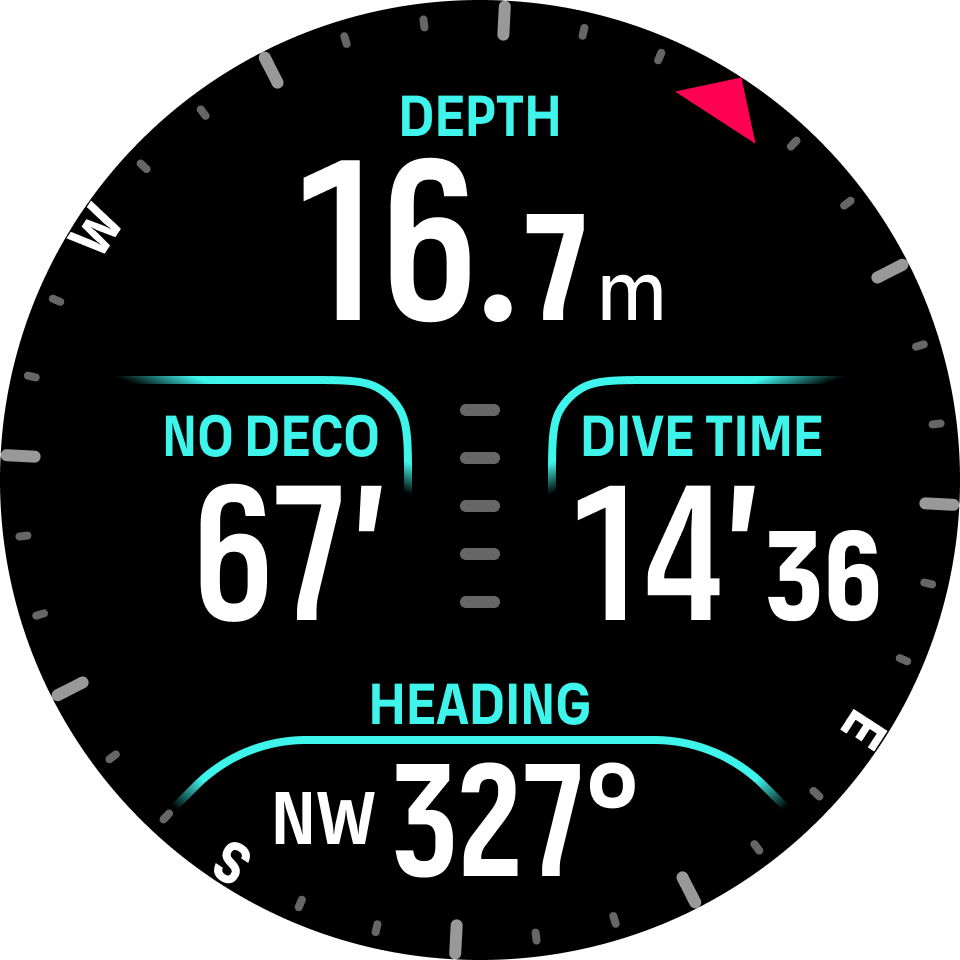
You can set the bearing by long pressing middle button. Once the bearing is set, a notification is displayed and the bearing pointer appears on the compass arch to indicate the set heading. When the bearing is set, the bearing pointer is locked on the compass arch to indicate the set heading. The orange slot located on the opposite side of the pointer is to indicate the reciprocal direction (180 degrees).
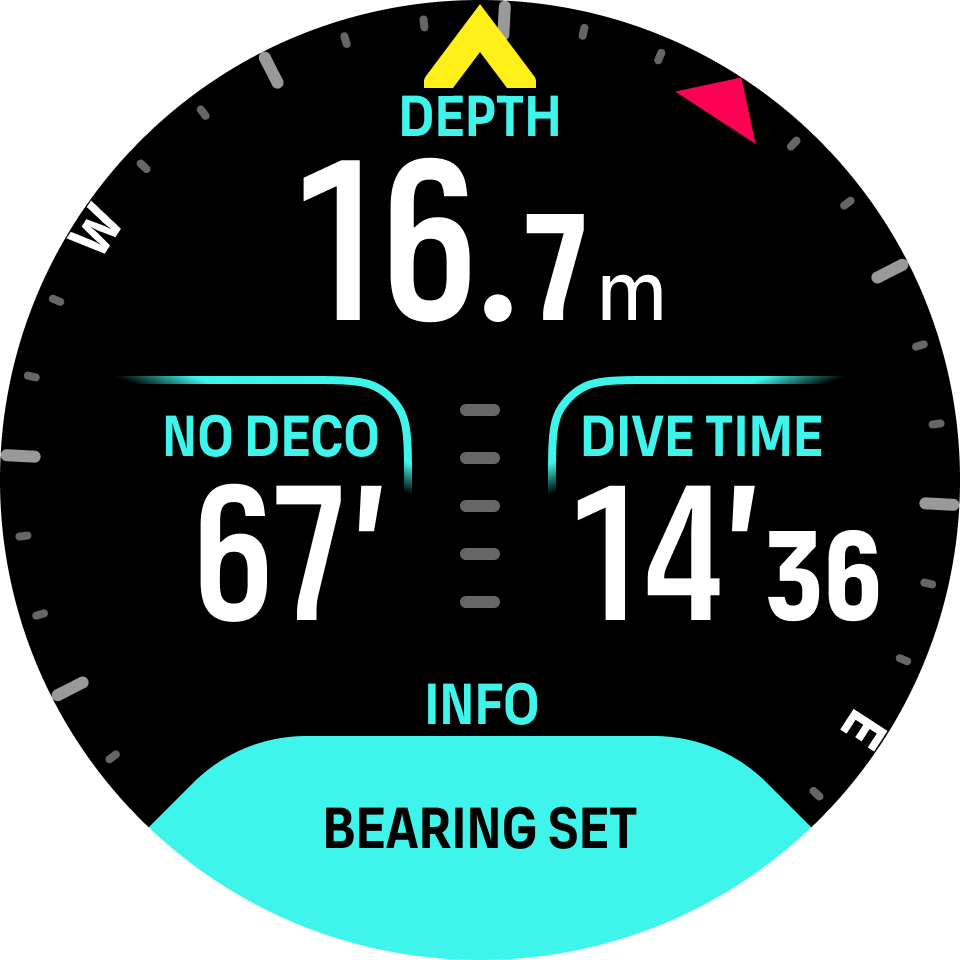
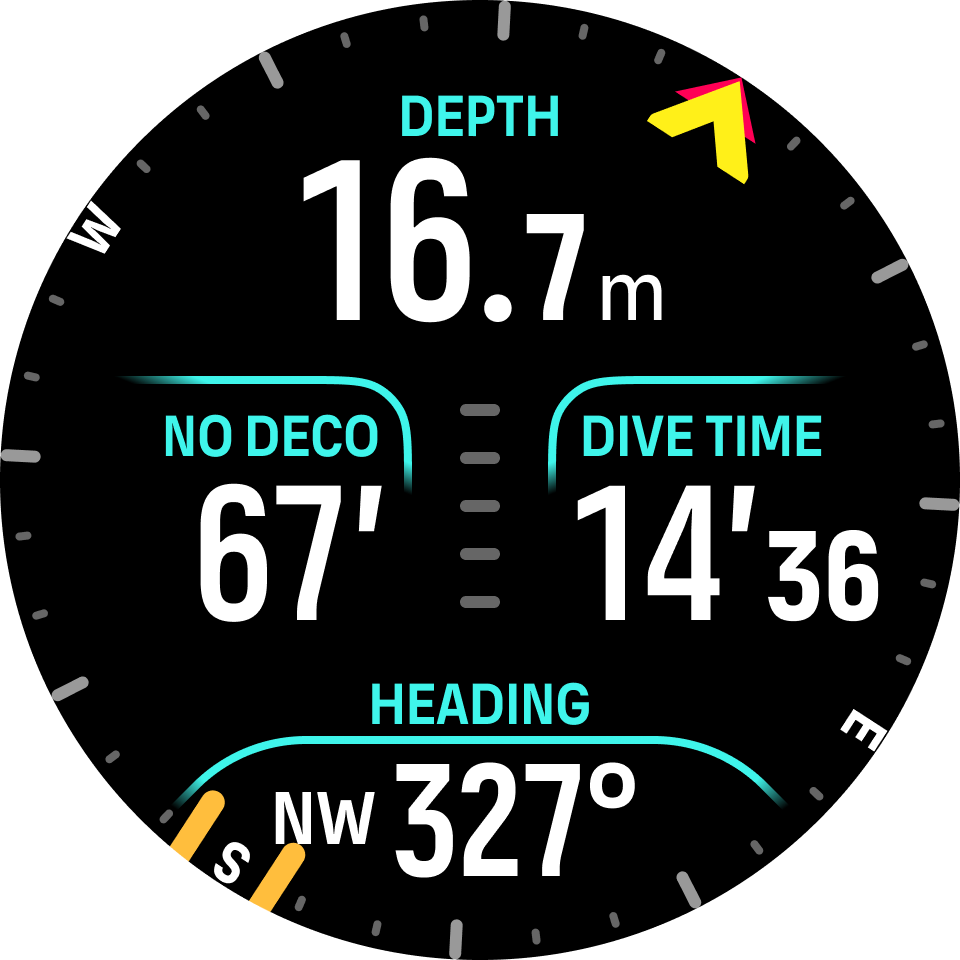
The bearing can be cleared at any time by long pressing the middle button again.
The heading value is available in the switch window and can be used independently without the compass arch. If the heading value visible in the switch window and the set heading are aligned, the switch window value turns yellow or orange (reciprocal direction).
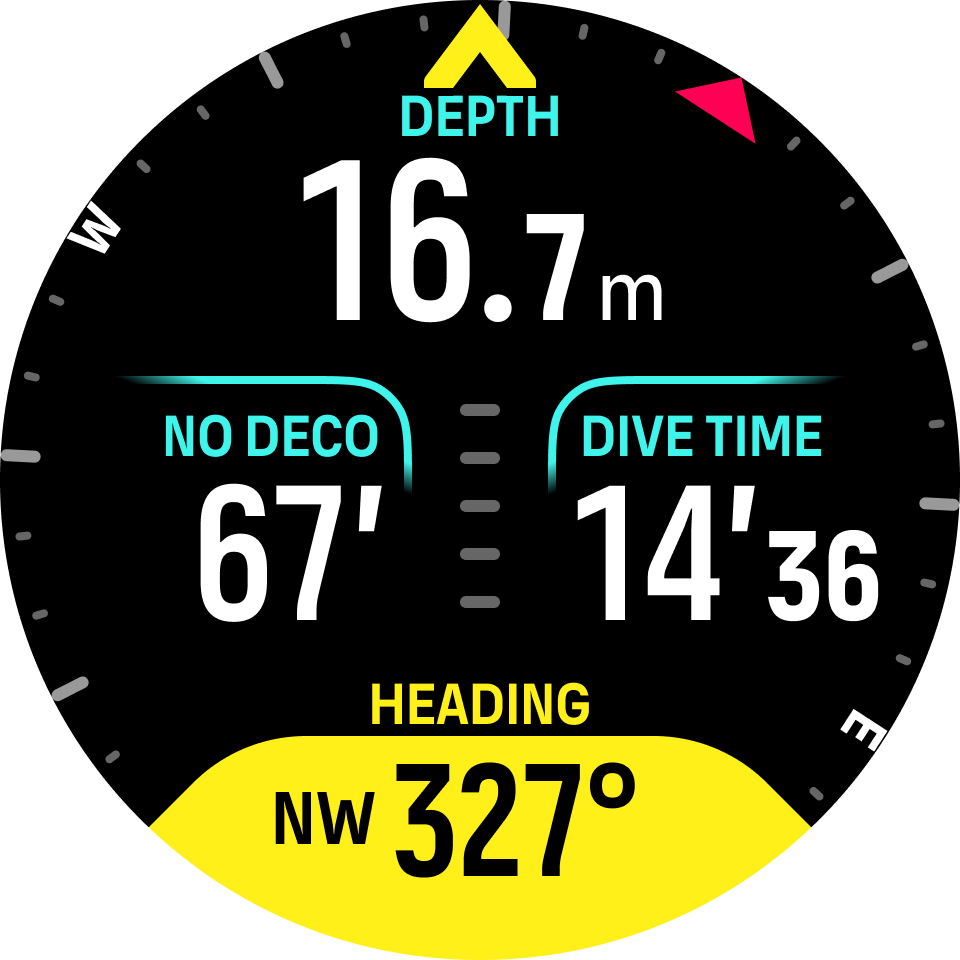
The margin of the switch window color change is +/-5° compared to the set value so that the state is visible.
The compass calibrates itself when in use, but if a recalibration is needed, a prompt pops up in the switch window. To calibrate the compass, turn and tilt the watch in a figure-8.