Most marathons feel comfortable early on. The challenge comes later, when the pace that felt easy at 10K starts to cost more than you planned. What you need most at that point is a clear read on how hard you're working and how much you have left.
EnergySense on Suunto Run 2 gives you that read in real time, estimating your current effort and remaining capacity so you can make better pacing decisions in marathons and long runs.
In this guide, we'll cover what EnergySense shows, how to set it up, how to read the display, and how to use it on the run.
Table of Contents
What Is EnergySense?
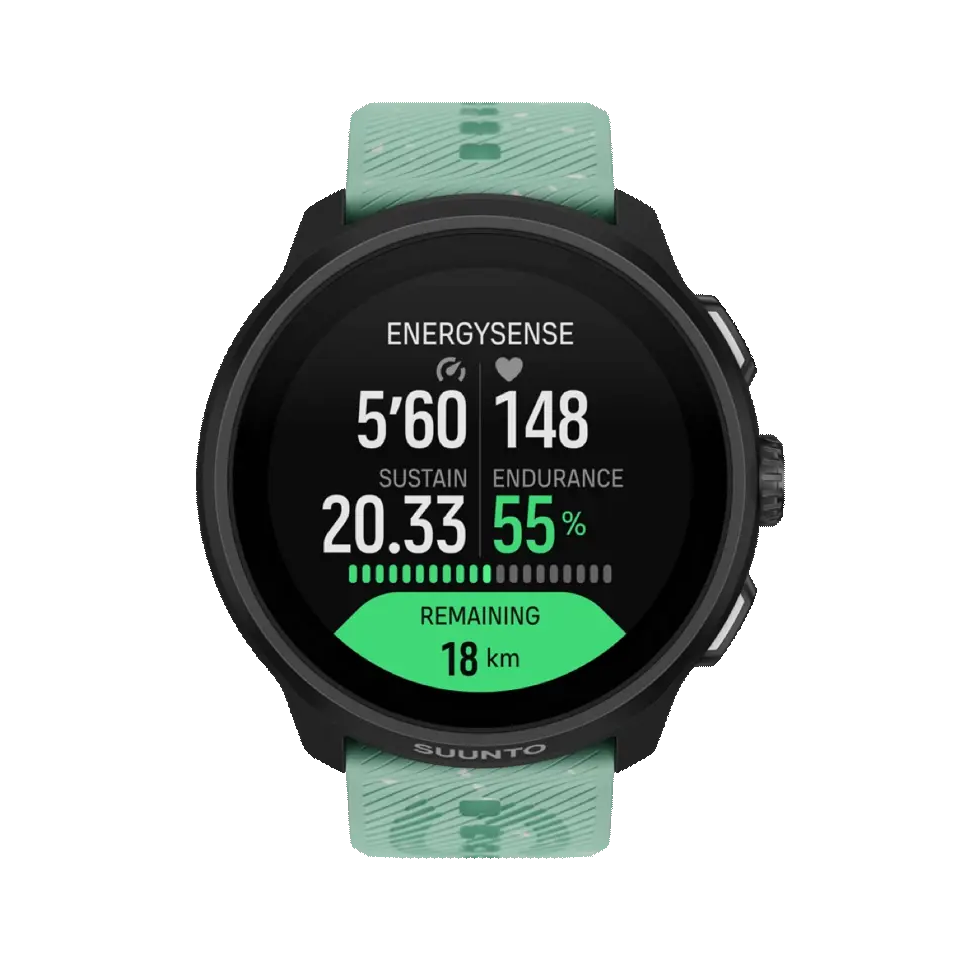
EnergySense is a Suunto Run 2 feature built to help you manage your effort from start to finish. Using your live running data, it estimates your current effort level and how much capacity you have left. It runs on the watch alone, ready for everyday long runs and race day.
Pace and heart rate show what you're doing right now. EnergySense adds a view of what that effort means for the rest of your run, helping you decide whether to:
- Maintaining your current pace
- Slowing down to conserve energy for later
- Increasing your pace when you still have enough capacity
Why Marathon Pacing Is Difficult
Early in a race, it’s easy to get carried along by the runners around you or pick up the pace simply because you still feel fresh. But time gained in the first half can come at a cost later, when the extra effort starts to catch up with you.
Even at the same pace, the effort required can vary throughout a run. Heat, humidity, hills, headwinds, and how you feel on the day can all affect how hard your body is working. This means that pace alone may not always reflect the actual effort you are putting in.
By keeping an eye on your remaining energy with EnergySense, you have another way to judge whether your planned pace is still sustainable. Instead of sticking to a target pace simply because it is on plan, you can adjust earlier when the effort is higher than expected.
How to Set Up EnergySense
To use EnergySense, select Marathon mode, set your target distance, and turn on EnergySense.
a. Select Marathon mode.
b. Set the target distance for your race or training session.
c. Scroll down and turn on EnergySense (Beta).
You can also enable EnergySense directly from the target-distance selection screen. Menu names and setup steps may change with future software updates.
Tip: For EnergySense to provide more relevant pacing estimates, you need to complete at least three outdoor runs at a steady pace beforehand. EnergySense uses data from these runs to estimate your endurance and running ability. If you are using the feature for the first time, record a few runs before using it during a race.
How to Read the EnergySense Display
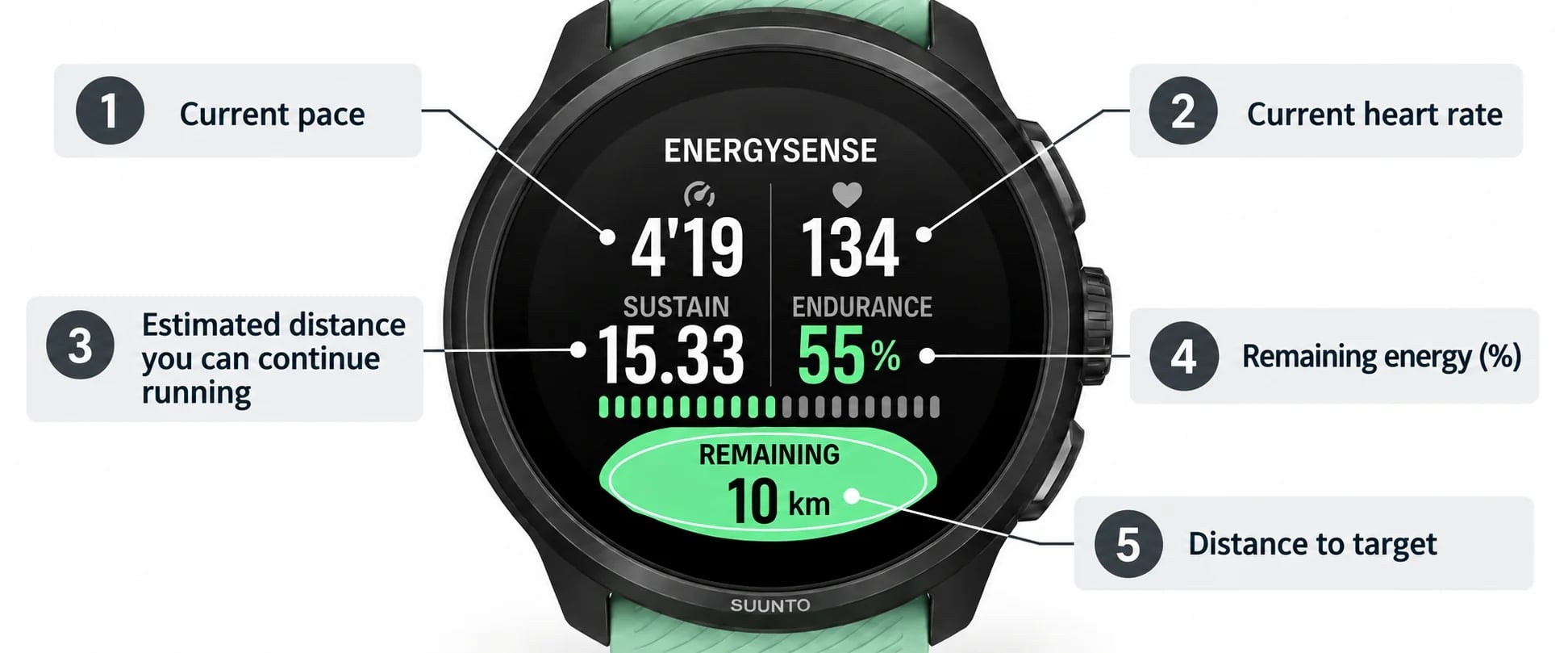
The EnergySense screen shows your current pace and heart rate, along with an estimate of how far you can continue at your current effort, your remaining energy, and the distance left to your target.
- Current pace: Your current running pace
- Current heart rate: Your heart rate during the activity
- Estimated sustainable distance: An estimate of how far you can continue running based on your current pace and available energy
- Remaining energy: An estimate of your remaining endurance, shown as a percentage
- Distance to target: The distance remaining to your selected target
Green
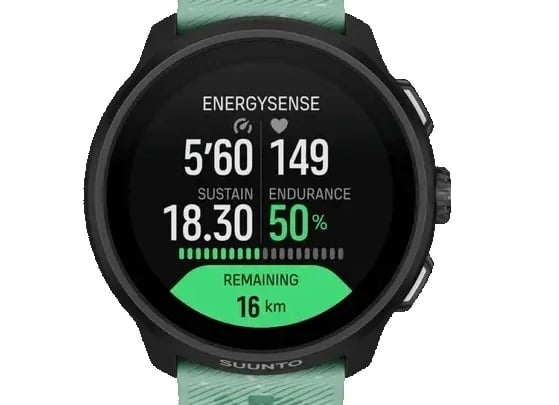
A green display means that the estimated distance you can sustain is greater than the distance remaining in the race. This indicates that you may be able to maintain your current pace to the finish.
Orange
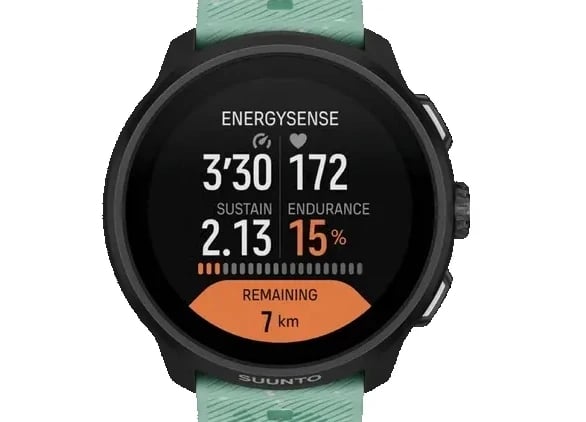
An orange display means that the estimated distance you can sustain is shorter than the distance remaining in the race. This can be a useful signal to adjust early—for example, by easing your pace, taking on fluids, or refueling.
The color shown by EnergySense does not guarantee that you will finish the race or maintain your current pace. Always take the course, weather conditions, fueling, hydration, and how you feel into account.
How to Use EnergySense
EnergySense can be useful not only on race day, but also during long runs and marathon-pace workouts. Using it in training gives you a chance to see how the readings change alongside your perceived effort, making the information easier to interpret when you race.
Early in the Run: Avoid Going Out Too Fast
Right after the start, it’s easy to run faster than planned without feeling much fatigue. If your remaining energy is dropping faster than expected, consider settling into a more sustainable pace once the initial congestion has cleared.
Mid-Run: Check Whether Your Effort Is Sustainable
In the middle of the run, pay attention to the balance between your current effort and the distance still to go. Rather than reacting to a single change in the numbers, look at the trend over a longer section and compare it with your breathing and how your legs feel.
Late in the Run: Decide When to Use What You Have Left
If you still have energy in reserve later in the run, you can consider increasing your pace based on the remaining distance and course conditions.
If your remaining energy is already low, it may make more sense to hold your pace rather than push harder, while focusing on your running form, hydration, and fueling.
Using EnergySense with Marathon Time
Suunto Run 2 also features Marathon Time, which calculates a projected finish time based on your current pace and updates it as you run.
While EnergySense provides an estimate of how much energy you have left, Marathon Time shows your projected finish time if you continue running at your current pace.
Using the two together can help you adjust your pace while balancing your target time with your current effort, rather than pushing too hard simply to stay on track for a specific finish time.
EnergySense vs. ZoneSense
Although their names are similar, EnergySense and Suunto ZoneSense differ not only in purpose, but also in the equipment required to use them.
| Feature | Required equipment | What it mainly shows | Best used for |
|---|---|---|---|
| EnergySense | Compatible Suunto watch (currently Suunto Run 2) | Current effort and estimated remaining energy | Managing stamina and pacing during marathons and long runs |
| ZoneSense | Compatible Suunto watch + heart rate belt | Exercise intensity based on HRV and your body’s response that day | Managing intensity across aerobic, anaerobic, and VO₂max zones |
Put simply, EnergySense helps you decide how to distribute your effort all the way to the finish, while ZoneSense helps you understand which intensity zone you are currently training in.
EnergySense can be used with a compatible watch alone. ZoneSense, on the other hand, requires a compatible heart rate belt to capture beat-to-beat R-R interval data. Understanding the purpose of each feature and the equipment it requires makes it easier to use EnergySense for race strategy and ZoneSense for managing training intensity.
What to Know Before Using EnergySense
The effort and remaining energy shown by EnergySense are estimates designed to support pacing decisions. Your actual performance can also be affected by factors such as weather, elevation changes, hydration, fueling, sleep, and your physical condition. Do not rely on numbers alone. Pay attention to physical warning signs such as unusual breathing difficulty, pain, or dizziness. If you feel unwell, stop exercising.
EnergySense is also currently available as a beta feature. The data shown may not always be consistent, so treat it as reference information rather than a definitive measure. Availability, supported devices, displayed data, and functionality may change in the future. Before using EnergySense, make sure the Suunto app and your watch software are up to date, and check the information shown on your device.
Summary
Good marathon pacing is not only about sticking to your target pace. It is just as important to adjust your effort based on how your body is responding on the day. EnergySense provides real-time estimates of your current effort and remaining energy, helping you decide whether to maintain your pace, ease off, or speed up during the race.
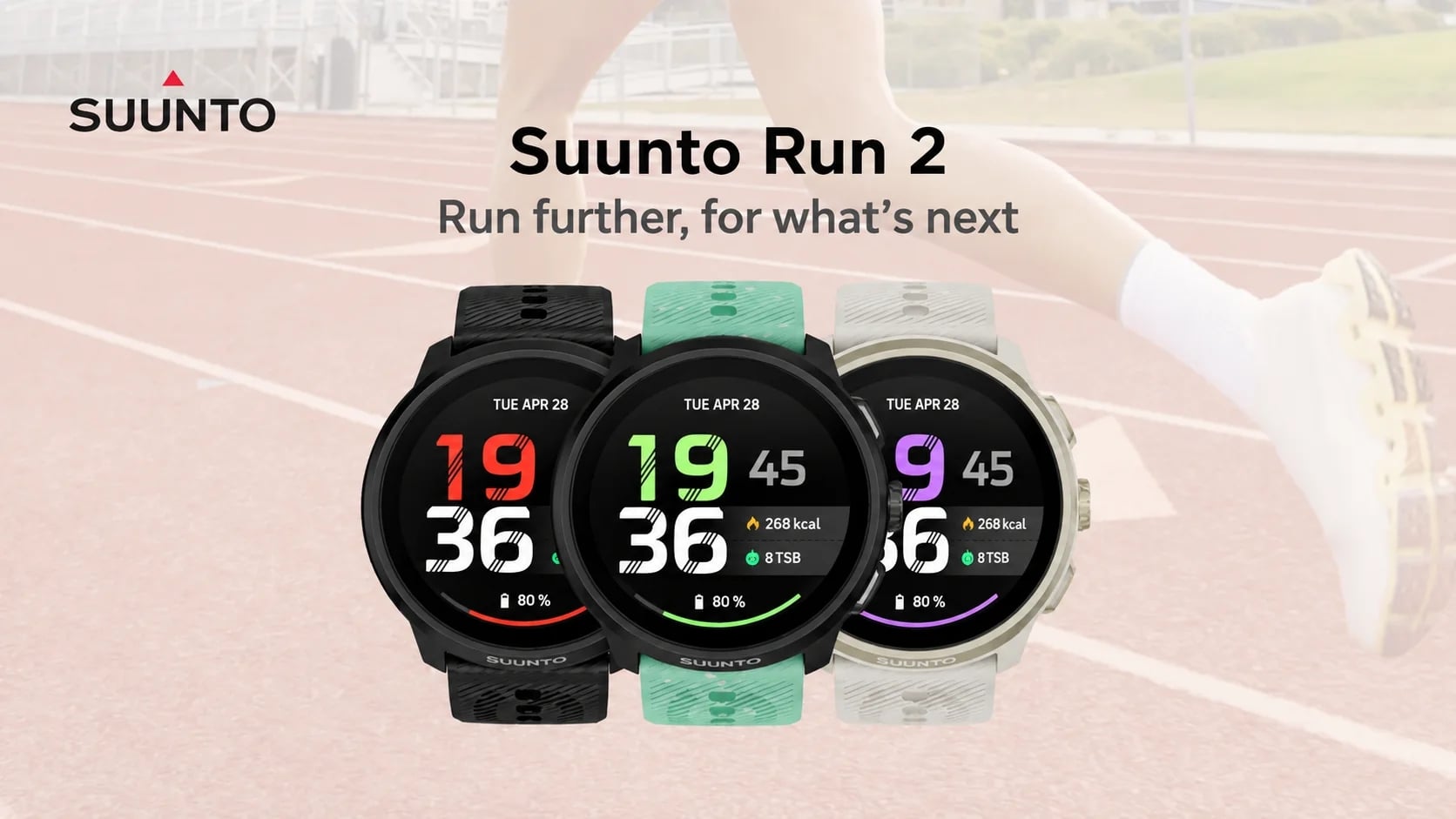
At just 35 g, Suunto Run 2 combines EnergySense and Marathon Time, allowing you to manage your running from everyday training through to race day.