Suunto Nautic Руководство пользователя
Подключение Bluetooth
Suunto Nautic использует технологию Bluetooth для отправки и получения данных с мобильного устройства, когда компьютер для погружений сопряжен с приложением Suunto. Аналогичная технология также используется для сопряжения устройств измерения и датчиков.
Однако чтобы сканеры Bluetooth не обнаруживали компьютер для погружений, можно выключить обнаружение в меню Подключение > Обнаружение.
Функцию Bluetooth также можно отключить полностью, включив авиарежим.
Сопряжение с пульсометром
Вы можете выполнить сопряжение устройства Suunto Nautic с поясным пульсометром и отслеживать свой пульс во время погружения.
Сопряжение с POD или поясным пульсометром:
- Откройте меню Панель управления > Подключение.
- Выберите Сопряжение с новым устройством.
Выберите датчик из списка.
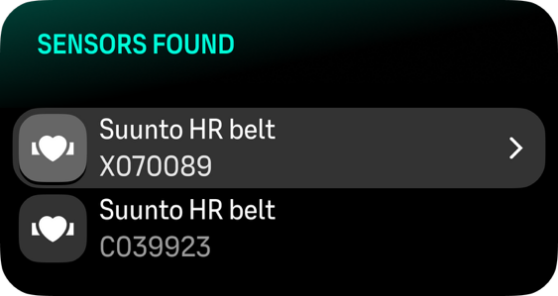
Выполнить сопряжение невозможно, если включен авиарежим. Сначала отключите его.
После сопряжения с датчиком ваш компьютер для погружений будет искать его сразу же после начала погружения.
Полный список сопряженных с компьютером для погружений устройств см. в настройках, в разделе Подключение > Сопряженные устройства.
В этом списке при необходимости можно удалить устройство (отменить сопряжение). Выберите устройство, которое необходимо удалить, и коснитесь Отменить.
Для получения информации о том, как выполнить сопряжение Suunto Nautic с Suunto Tank POD, см. Как установить и выполнить сопряжение Suunto Tank POD.