Suunto Nautic 使用者指南
- 如何安裝及連結 Suunto Tank POD
如何安裝及連結 Suunto Tank POD
若要安裝及連結 Suunto Tank POD:
請依照 Tank POD 快速指南或 Tank POD user guide 中的說明安裝 Tank POD。
注释:為確保最準確的氣瓶壓力讀數, Suunto 建議您將 Suunto Tank POD 與 Suunto Nautic 配戴於同一側。
- 在 氣體 選單中選擇您想要與 Tank POD 連結的氣體。
前往 編輯氣體 畫面,然後捲動至 Tank POD 設定。
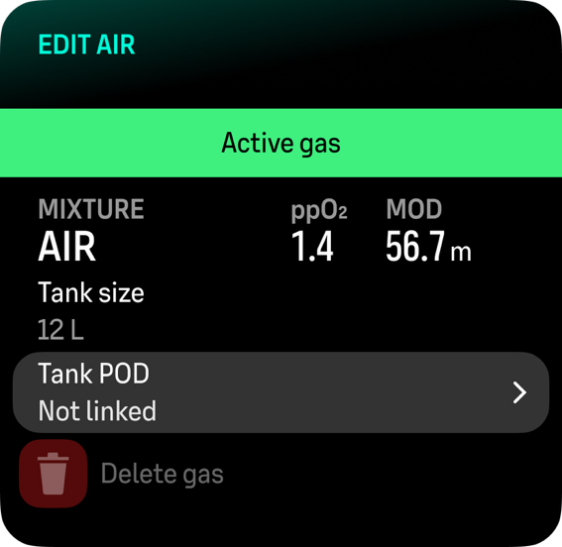
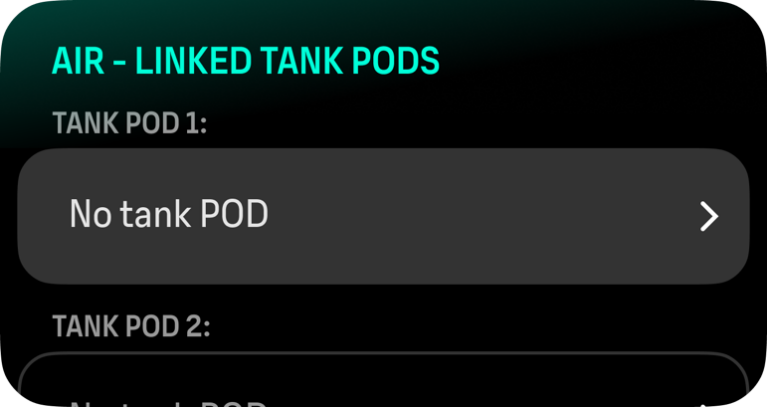
若您使用單一氣瓶潛水,請將 Tank POD 加入「Tank POD 1」欄位並接續進行步驟 5。若您以側掛方式潛水並需要將第二個 Tank POD 連結至相同氣體,請對「Tank POD 2」欄位依照相同步驟操作。
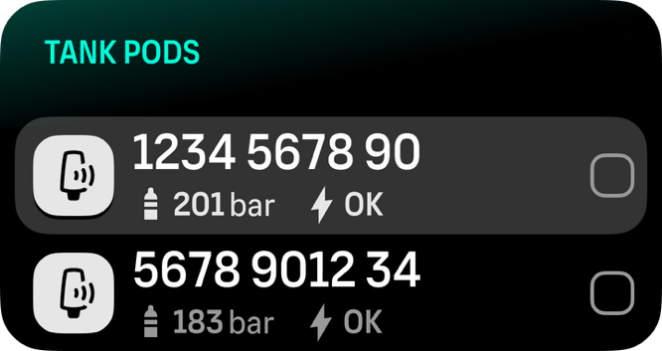
確保 Tank POD 已啟用且在範圍內。從列表中選擇您的 Tank POD 序號。
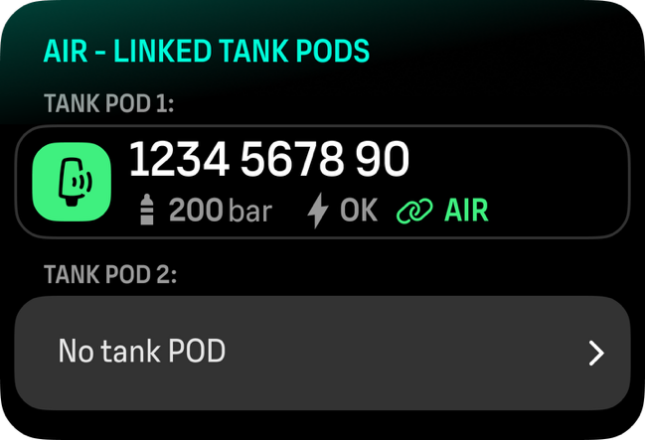
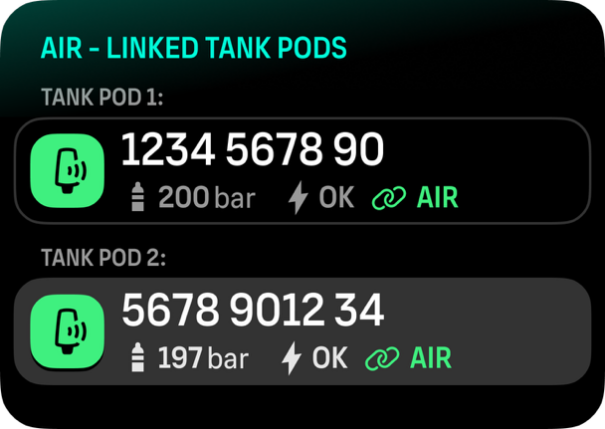
如果您已將同一個 Tank POD 與多種氣體連結,請記得在潛水前檢查您是否有正確的當前使用氣體,並且您的 Tank POD 已連結。 在潛水主要檢視畫面中,只會顯示一個氣瓶壓力並對應當前使用氣體。
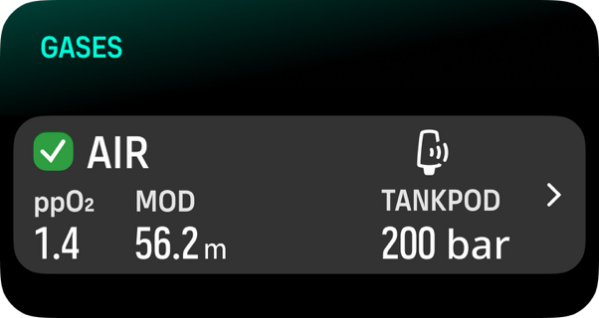
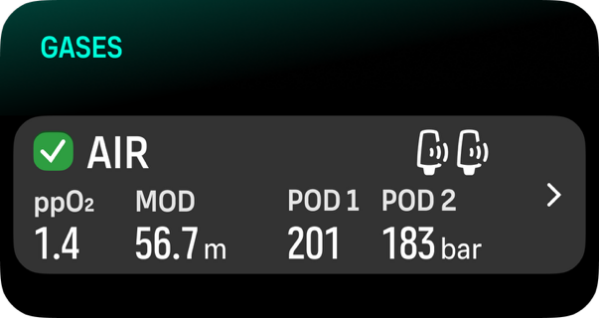
若有多位潛水人員使用 Tank POD,請務必在您潛水前檢查,確認您選擇的氣體 POD 編號是否符合您 POD 上的序號。
您可以在金屬底座以及 Tank POD 的蓋子上找到序號。
對於其他 Tank POD,請重複以上程序,並為每個 POD 選擇不同的氣體。
若要取消連結並從特定氣體移除 Tank POD:
從 氣體 選單選擇您想移除 Tank POD 的氣體。
選擇您要移除的 Tank POD(檢查序號)。
您已從所選的氣體列表移除 Tank POD。
您也可以從 Tank POD 選單取消連結 Tank POD。
您只能在 Tank POD 啟用和傳輸後取消連結。
請務必使用備份類比潛水壓力錶作為氣瓶壓力資訊的備份來源。
請參閱產品附帶說明中 Suunto Tank POD 相關資訊。