Suunto Nautic S User Guide
Example - Single gas mode
The following example shows a no-decompression dive in Single gas mode with Air and a Suunto Tank POD.
Pre-dive screen:
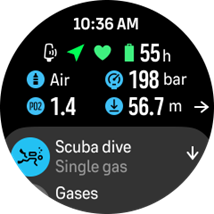
Always start your dive from the pre-dive screen to ensure you’ll have a GPS signal, enough battery and tank pressure (if linked to Suunto Tank POD), diving with the right gas and you understand the MOD of the active gas. If the Suunto Tank pod battery is low or you have forgotten to change tanks and the tank pressure is low, you’ll see warnings on the pre-dive screen.
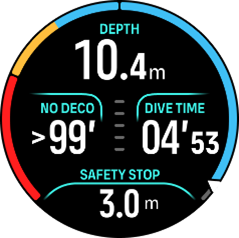
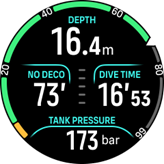
Once descending over 10 m, a safety stop indication will appear in the switch window, indicating a safety stop ceiling of 3 m. No deco time shows > 99, meaning the maximum time you can spend at this depth is greater than 99 min.
Once you continue the descent, the No deco time will show a smaller value. No deco time is always in minutes.
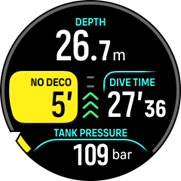
If your No deco time reaches 5 min, a yellow caution alarm will be triggered. When ascending and the No deco value is increased, the alarm will be resolved. You can also mute the alarm with any button press. Continuing to stay at deeper depths despite the No deco alarm can cause decompression obligation. Do not dive decompression dives unless you’ve sufficient training.
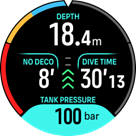
You can set your own tank pressure alarms to help you keep track of critical limits, like turn pressure. If set, Suunto Nautic S alerts you when reaching 100 bar (1450 psi).
You can follow the ascent speed from the Ascent speed indicator. If passing the suggested maximum of 10 m/min, the indicator will turn red and trigger an audible and vibration alarm. This can be acknowledged by pressing any button.
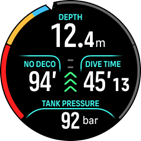
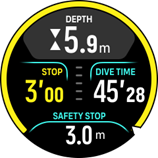
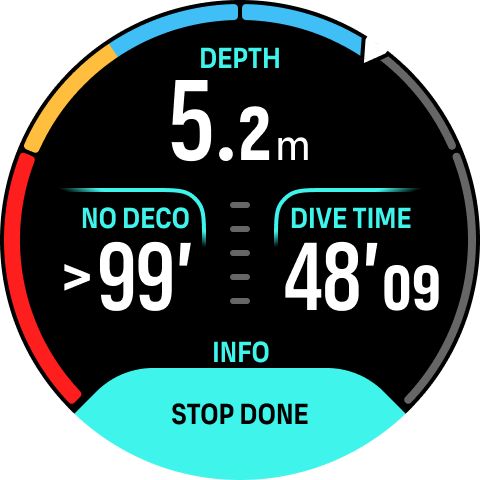
When you are between 2.4 and 6 m (7.9 and 20 ft), a safety stop timer will appear and count down until the suggested stop. Once the stop is performed, a Stop done notification will appear.